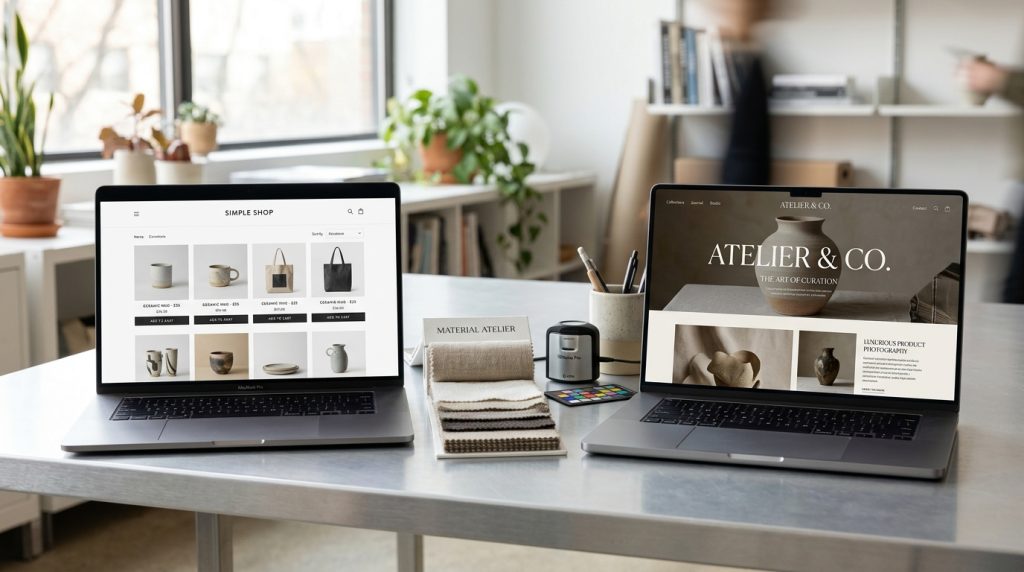
Your Shopify theme controls how your store looks and, to a significant extent, how it functions. The right theme makes your products look appealing, guides visitors toward purchase, and works well on all devices. The wrong theme creates friction that affects sales and takes ongoing effort to work around.
The theme decision is easy to underestimate. Store owners often pick based on demo appearance without considering how the theme will actually perform for their business. The result is stores that look good on the surface but underperform their potential.
This piece covers what to look for in Shopify themes, how free and premium options compare, and how to pick a theme that will actually help your business.
What Themes Actually Do
Themes affect stores in several ways.
Visual Appearance
The obvious part. Colors, fonts, layouts, imagery. Every visual aspect of your store.
Layout Structure
Where products appear. How categories are organized. What information gets emphasized. How the checkout flow feels.
Available Sections
Modern Shopify themes use sections. Blocks of content you can add to pages. Different themes provide different sections.
Performance
Themes affect page load times. Lightweight themes load fast. Heavy themes with many features load slowly.
Conversion Elements
Product page layout. Trust signals. Add-to-cart buttons. Reviews display. These conversion-focused elements vary between themes.
Mobile Experience
How the store works on mobile devices. Some themes have polished mobile experiences. Others treat mobile as an afterthought.
Free Shopify Themes
Shopify includes several free themes.
The Free Options
Shopify has a selection of free themes designed by Shopify itself. Dawn is the current default reference theme. Others include various themes for specific business types.
The free themes have been improved significantly over the years. They are legitimate options for many stores.
What Free Themes Include
Basic functionality that any store needs. Product display, cart, checkout, category pages. All the essentials.
Some sections and blocks. Customization through the theme editor.
Limitations of Free Themes
Less variety than premium themes. If you want a specific look or specific features, free themes may not have exactly what you want.
Fewer premium features. Some advanced conversion elements are only available in premium themes.
Less differentiation. Many stores use the same free themes. Your store may look similar to competitors using the same theme.
When Free Themes Work
New stores getting started. Businesses testing an idea. Stores where budget is a constraint. Basic product catalogs without complex needs.
For many stores, a free theme is a legitimate starting point. You can upgrade later as the business grows.
Premium Shopify Themes
Paid themes offer more options.
The Theme Store
Shopify’s Theme Store has hundreds of premium themes. Prices typically range from $180 to $350 as one-time purchases.
Categories include fashion, food, jewelry, electronics, art, home goods, and many others. Themes designed for specific industries have relevant features built in.
What Premium Themes Offer
More design polish. More layout options. More sections and blocks. More customization possibilities.
Additional features often included: product reviews, wishlists, quick view, product image zoom, advanced filtering, promotion banners, and other conversion-focused elements.
Better mobile experiences typically.
Ongoing updates from the developer.
The One-Time Cost
Premium themes cost once. You get the theme forever after purchase. Updates are typically free.
Compared to WordPress premium themes with annual licenses, Shopify’s one-time model is simpler.
Third-Party Theme Marketplaces
Beyond the Shopify Theme Store, third-party marketplaces sell Shopify themes. Prices and quality vary.
Themes not in the official store may not receive updates as reliably. Check developer reputation before buying.
Popular Premium Themes
Some themes come up consistently.
Impulse
Designed for building brands. Feature-rich. Multiple layouts. Good for larger catalogs.
Prestige
Elegant design suited for luxury and high-end brands. Clean layouts. Sophisticated feel.
Warehouse
Designed for large catalogs and B2B situations. Filtering and search prominent.
Motion
Modern design with animations. Feature-rich.
Turbo
Focused on performance. Fast loading. Popular for stores prioritizing speed.
Testament
Clean design. Good for fashion and lifestyle brands.
Empire
Sales-focused theme. Many promotional features built in.
Each theme has specific strengths. Match theme to your business needs.
What to Look For in a Theme
Several factors matter beyond appearance.
Performance
Fast themes make fast stores. Slow themes make slow stores. Speed affects conversions and SEO.
Check theme performance reports and reviews before purchasing. PageSpeed Insights on the demo tells you a lot.
Mobile Experience
Test the theme demo on your phone. How does it look? How does it feel? Is it easy to browse and purchase?
Mobile matters. A theme that looks amazing on desktop but fails on mobile is a bad choice.
Recent Updates
When was the theme last updated? Active development is a good sign. Themes that have not been updated in over a year are concerning.
Shopify updates its platform. Themes need to keep up.
Reviews
Read theme reviews. Look for patterns. Common complaints indicate real problems.
Pay attention to how developers respond to reviews. Responsive developers matter when you need support.
Support Quality
What kind of support does the developer offer? Response times? Coverage of the support?
Premium themes should include real support.
Documentation
Well-documented themes are easier to work with. Check that documentation exists and is thorough.
Compatibility With Popular Apps
Themes should work well with common Shopify apps. If a theme has known conflicts with major apps, that is a problem.
Customization Options
How much can you customize through the theme editor? Themes with more built-in customization options require less code editing.
Industry Fit
Themes designed for your industry have relevant features. Fashion themes have size charts. Food themes have recipe features. Choose themes that fit your business.
Free vs Premium Decision
The choice depends on several factors.
When Free Themes Are Right
New business testing an idea. Budget is tight. Basic needs. Simple product catalog. Willing to iterate on design later.
When Premium Themes Are Right
Established or growing business. Budget available. Need specific features. Want distinctive design. Want polished mobile experience. Want ongoing developer support.
The Middle Ground
Sometimes starting with a free theme and upgrading later makes sense. The store validates the business. Revenue justifies theme investment.
For serious businesses with real budgets, premium themes are usually worth the modest one-time cost.
Customizing Themes
Themes provide starting points, not final products.
Theme Editor
The Shopify theme editor lets you customize themes visually. Colors, fonts, sections, layouts, and other options depending on the theme.
For most stores, the theme editor handles the customization needed.
Theme Sections
Modern themes use sections. Blocks of content you can add, remove, and rearrange. Sections make significant customization possible without code.
Theme Code
For deeper customization, you can edit theme code. This uses Liquid (Shopify’s templating language), HTML, CSS, and JavaScript.
Code editing is powerful but risky. Backup before making changes. Test changes carefully.
Custom Themes
For fully custom design, you can hire developers to build custom themes. Costs range from thousands to tens of thousands depending on complexity.
For most stores, premium themes with customization provide enough differentiation without custom development.
Setting Up a Theme
The process after installation.
Configure Theme Settings
Go through the theme editor. Set colors, fonts, and layouts. Configure any theme-specific options.
Add a Logo
Upload your logo. Configure it to appear where the theme provides.
Set Up Homepage
Modern themes use sections for the homepage. Add sections you want. Configure them. Rearrange as needed.
Hero images, featured products, testimonials, newsletter signup. Each section serves a purpose.
Configure Product Pages
Set how product pages display. Image galleries. Description formatting. Related products. Reviews. Trust badges.
Configure Collection Pages
How categories display. Grid or list. Filtering options. Sort options.
Set Up Navigation
Configure menus. Header navigation, footer navigation, mobile navigation. Structure them logically.
Configure Cart & Checkout
Where possible, customize the cart drawer and checkout appearance. Some elements are locked in Shopify checkout but themes offer customization where available.
Add Trust Signals
Payment badges, security badges, guarantees. Elements that build trust with visitors.
Test Everything
Before launch, verify everything works. All pages, all functions, all devices.
Common Theme Mistakes
Store owners stumble in predictable ways.
Choosing Based on Demo Alone
The demo shows the theme at its best with professional photos and content. Your store may look different with your actual content.
Ignoring Performance
Beautiful themes that load slowly hurt conversions and SEO. Test performance before committing.
Not Reading Reviews
Reviews reveal real experiences. Skip them at your peril.
Choosing Wrong Style for Business
Fashion theme for tech products. Minimalist theme for jewelry that needs display. Match style to business.
Not Considering Long-Term Support
Themes from small developers who might disappear leave you without support later.
Not Testing Mobile
Only testing on desktop when most traffic is mobile. Test on real phones.
Trying to Customize Beyond What Theme Supports
Fighting the theme to make it do things it was not designed to do. Sometimes switching themes is better.
When to Change Themes
Sometimes switching makes sense.
When the Theme No Longer Fits
Business has evolved. Theme does not match brand anymore.
When Performance Is Bad
Theme is slow and cannot be optimized further. Switching to a fast theme helps.
When You Cannot Customize Enough
Theme is too limiting for current needs.
When Theme Is Abandoned
Developer stopped updating. Theme falls behind Shopify updates. Time to move.
The Cost of Switching
Theme switches require rebuilding significant parts of your store. Homepage. Product pages. Collection pages. Custom sections.
Plan for meaningful work when switching themes. Consider it a project, not a quick task.
Wrapping Up the Theme Choice
Your Shopify theme is a foundation for your store. It affects appearance, performance, conversions, and how easy the store is to manage. Choosing well matters.
For most stores, premium themes from reputable developers are worth the modest one-time cost. Better polish, more features, ongoing support, and better mobile experiences justify the investment.
For new stores with tight budgets, free themes provide a legitimate starting point. Upgrade later when the business justifies it.
The theme choice affects the store for years. Take time to evaluate. Check reviews. Test demos. Consider fit with your business. Do not rush the decision.
After choosing, invest time in proper setup. Configure the theme fully. Test on all devices. Verify performance. Test the customer experience end to end.
Sites with well-chosen and properly configured themes look professional and convert well. Sites with theme choices made in haste face ongoing friction. The difference shows up in conversion rates and customer perception.
For sites already using a theme that is not working well, evaluating whether to switch is worth doing periodically. The pain of switching is real but sometimes worth it if the current theme is holding you back. For most stores though, working within a decent theme is better than the disruption of switching.
For new stores or businesses considering changing themes, take the theme choice seriously. It is one of those decisions that affects daily operations for as long as you use it. The right choice supports the business. The wrong choice creates friction that never goes away until you change themes.
The Shopify theme market has matured. Quality themes exist at multiple price points. Take the time to pick one that fits your business, set it up properly, and let it become a productive foundation for your store rather than something you fight with.