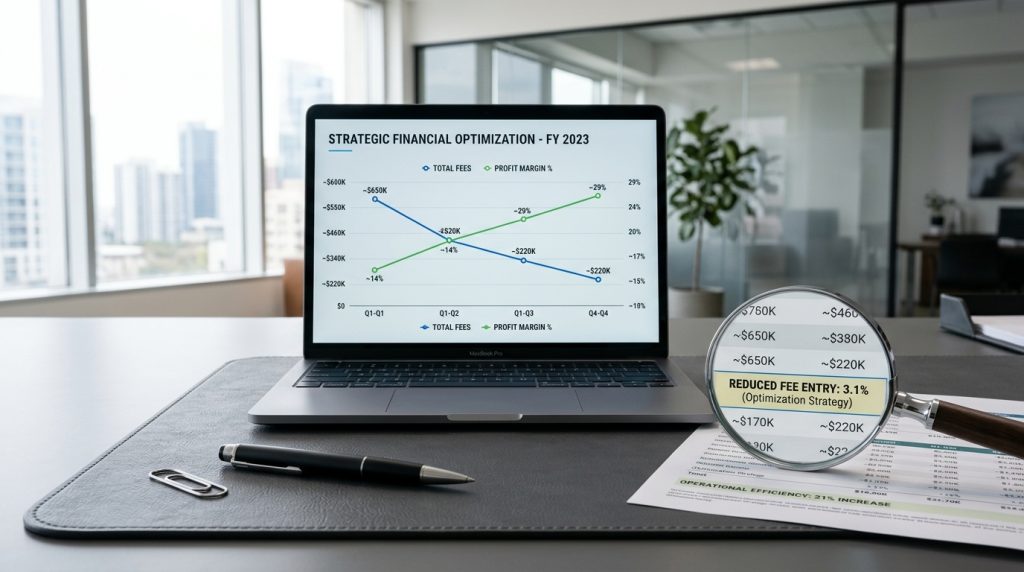
Transaction fees on Shopify come in two forms. Payment processing fees that go to the payment processor. And Shopify’s additional transaction fees that apply when you use payment processors other than Shopify Payments. Together they can significantly affect your margins.
Most Shopify store owners accept these fees as inevitable. But strategic decisions can reduce them significantly. Some approaches eliminate certain fees entirely. Others reduce the impact. Understanding what you can control helps keep more of your revenue.
This piece covers the fee structure, what you can do about it, and how to make decisions that minimize costs.
Understanding Shopify’s Fee Structure
Two types of fees apply to most transactions.
Payment Processing Fees
The percentage plus transaction fee charged by whoever processes the payment. These go to the payment processor, not Shopify.
Typical rates are 2.4-2.9% plus 30 cents for online transactions, depending on plan and processor.
These fees are largely unavoidable. Someone has to process the payment.
Shopify’s Additional Transaction Fees
Shopify charges additional fees when you use payment processors other than Shopify Payments.
Basic Shopify: 2% additional.
Shopify: 1% additional.
Advanced Shopify: 0.5% additional.
These fees exist to encourage you to use Shopify Payments.
The Combined Cost
Using Shopify Payments: just processing fees.
Using PayPal or Stripe: processing fees plus Shopify’s additional fees.
On a $100 sale, the difference is $0.50 to $2.00 depending on plan. Multiplied across all sales, this adds up.
The Simplest Fee Reduction
Use Shopify Payments where possible.
The Direct Impact
Using Shopify Payments eliminates Shopify’s additional transaction fees. You pay only the payment processing fees.
For most stores, this is the single biggest fee reduction available.
When It Works
Shopify Payments is available in specific countries. Check whether your country supports it.
Most standard businesses qualify. Some high-risk categories are excluded.
How to Set It Up
If you started with a different payment processor, you can enable Shopify Payments. In Shopify admin, go to Settings > Payments. Add Shopify Payments as a payment method.
Provide required business information and bank details for verification.
Once verified, Shopify Payments becomes the primary payment method for new transactions.
Choosing the Right Plan
Plan choice affects fees significantly.
Fee Reductions by Plan
Higher Shopify plans have lower payment processing rates.
Basic Shopify: 2.9% + 30 cents.
Shopify: 2.6% + 30 cents.
Advanced Shopify: 2.4% + 30 cents.
Additional transaction fees for third-party processors also reduce at higher tiers.
When to Upgrade for Fee Savings
The math works out at certain sales volumes.
Upgrading from Basic to Shopify saves 0.3% on payment fees. At $50,000 monthly sales, that is $150 per month savings. The plan upgrade costs $50 more per month. Net savings: $100 per month.
Upgrading from Shopify to Advanced Shopify saves 0.2% on payment fees. At $100,000 monthly sales, that is $200 per month savings. The plan upgrade costs $220 more per month. Barely worth it just for fees.
Do the math for your specific volume. Plan upgrades pay for themselves at specific sales levels.
Annual Billing
Paying annually instead of monthly typically saves 10-25% on the subscription. Not directly a transaction fee reduction but reduces overall costs.
Consolidating Payment Methods
Fewer payment options can reduce complexity and fees.
The Trade-Off
Offering multiple payment options may increase conversions. But each option that is not Shopify Payments triggers additional Shopify fees.
Assess whether the additional conversions from offering PayPal or other methods justify the additional fees.
PayPal Value Analysis
If offering PayPal, track what percentage of sales come through PayPal.
If 30% of customers choose PayPal, PayPal is providing significant value.
If 5% of customers choose PayPal, the additional fees on those sales may not justify keeping it.
Some stores find PayPal essential for their audience. Others find they can remove it without losing conversions.
Testing the Impact
Try turning off PayPal for a period. Compare conversion rates and total revenue. If revenue stays similar or drops less than the fee savings, removing PayPal saves money.
Data-driven decisions produce better results than guessing.
Reducing Chargeback Fees
Chargebacks cost real money.
Chargeback Impact
Each chargeback costs $15-$25 or more in fees. Plus the disputed transaction amount is refunded.
Excessive chargebacks can lead to account restrictions or higher processing rates.
Reducing Chargebacks
Clear product descriptions and images reduce disputes over what was received.
Fast responsive customer service resolves issues before they become chargebacks.
Clear return policies give customers a legitimate path other than chargebacks.
Good fraud prevention catches fraudulent orders before they ship.
Transaction descriptors that clearly identify your business help customers recognize charges.
Chargeback Protection
Shopify Payments offers chargeback protection on higher plans. Certain transactions get protection against chargebacks.
The protection has limits but reduces risk for eligible transactions.
Optimizing Currency Handling
International sales involve currency considerations.
Multi-Currency Selling
Shopify Payments supports multi-currency. Customers see prices in their currency. Payment happens in your currency.
Shopify Markets extends this with more sophisticated multi-currency handling.
Currency Conversion Fees
When customers pay in one currency and you receive another, currency conversion fees apply.
Understanding these fees helps predict international sale costs.
Local Payment Methods
For international sales, local payment methods can be more cost-effective than international credit card processing.
Adding local methods for major markets can reduce fees while improving customer experience.
Handling Refunds Efficiently
Refunds have their own cost considerations.
The Fee Situation on Refunds
Payment processors typically do not refund the transaction fee when you refund a customer. You lose both the sale and the fees.
Some processors have improved this. Check current policies.
Reducing Refund Volume
Better product descriptions and images reduce buyer’s remorse.
Realistic photos prevent surprises.
Clear return policies set expectations.
Quality products reduce dissatisfaction.
Each refund avoided saves both the transaction amount and the associated fees.
Fraud Prevention
Fraud costs beyond just the fraudulent transaction.
The Real Cost of Fraud
Fraudulent transactions cost more than the transaction amount. Fees are still charged. Chargebacks add fees. Product is lost. Time is spent handling the situation.
Fraud Prevention Tools
Shopify includes basic fraud analysis. Higher-risk transactions get flagged.
Third-party fraud prevention apps add more sophisticated screening.
Manual review of flagged transactions catches issues that automated systems miss.
Risk-Based Decisions
Higher-risk products (high-value items, easily resold products) warrant more fraud prevention effort.
Lower-risk products may need less scrutiny.
Understanding Fee Reports
Knowing what you actually pay helps optimization.
Where Fees Show Up
Shopify shows transaction fees in payment reports. Review these regularly.
Understand what percentage of revenue goes to fees. This tells you if fees are increasing over time.
Tracking by Payment Method
Break down fees by payment method. Which methods cost the most? Are they worth the cost based on the sales they enable?
Reviewing Monthly
Monthly review of payment metrics catches trends. Rising fees might indicate changing payment method usage or issues that need addressing.
Alternative Payment Structures
Beyond standard credit card processing.
ACH Payments
For B2B or larger transactions, ACH bank transfers have significantly lower fees. Not practical for most consumer transactions but useful for specific situations.
Manual Payment Methods
For certain business models, bank transfers, checks, or other manual methods might make sense for specific customer segments.
Shopify supports these as payment options for customers who need them.
Wholesale Pricing
For B2B customers, offering different payment terms may include different fee handling.
Common Fee Management Mistakes
Store owners stumble in predictable ways.
Not Using Shopify Payments
Continuing with a previous payment processor after starting Shopify. The additional Shopify fees add up.
Too Many Payment Options
Offering every possible payment method without evaluating whether they add enough value.
Ignoring Chargebacks
Not tracking chargebacks or working to reduce them. The fees accumulate.
Not Reviewing Fees Regularly
Missing changes in fee structure or unusual patterns because you never look.
Underestimating Fee Impact
Not realizing how much fees actually cost until the year-end totals surprise you.
Not Planning for Growth
Ignoring the impact of plan choice on fees as the store grows.
When Fees Are Worth It
Some fees provide real value.
The Trade-Off
Payment processing has to happen. Someone has to move money. The fees are the cost of that service.
When PayPal Fees Are Worth It
If PayPal genuinely brings in additional sales that would not happen otherwise, its higher fees are the cost of those sales.
When Additional Processors Add Value
Specialty processors for specific situations (high-risk industries, unusual payment types) may have higher fees but enable business that would not happen otherwise.
Bringing the Fee Reduction Picture Together
Transaction fees are one of those costs that accumulates without much attention. Every sale has fees. The fees are automatic. It is easy to accept them without questioning.
But strategic decisions can significantly reduce fees. Using Shopify Payments where available eliminates the additional transaction fees. Choosing the right plan at the right time reduces payment processing rates. Managing payment options thoughtfully reduces complexity and cost. Preventing chargebacks and fraud saves money in multiple ways.
For most stores, the single biggest fee reduction opportunity is using Shopify Payments. If you are not using it and your business qualifies, switching often saves the most money with the least effort.
For growing stores, plan upgrades at the right sales volumes provide fee savings that pay for the higher subscription.
For all stores, regular review of payment metrics catches issues before they compound. What percentage of revenue goes to fees? Is it changing? Why?
The fees you pay are not entirely under your control, but they are more under your control than most store owners realize. Understanding the fee structure, making strategic decisions, and monitoring the actual costs produces meaningful savings over time.
For businesses running on thin margins, fee reduction directly increases profit. Every basis point saved on fees improves the bottom line.
For businesses with healthier margins, fee reduction produces marginal but real improvements to profitability.
Either way, taking transaction fees seriously and working to minimize them is a legitimate part of running an e-commerce business well. The savings compound over time. The habits of monitoring and managing fees produce ongoing benefits. Take the time to understand what you actually pay, make the strategic decisions that reduce it, and keep more of every sale for the business.