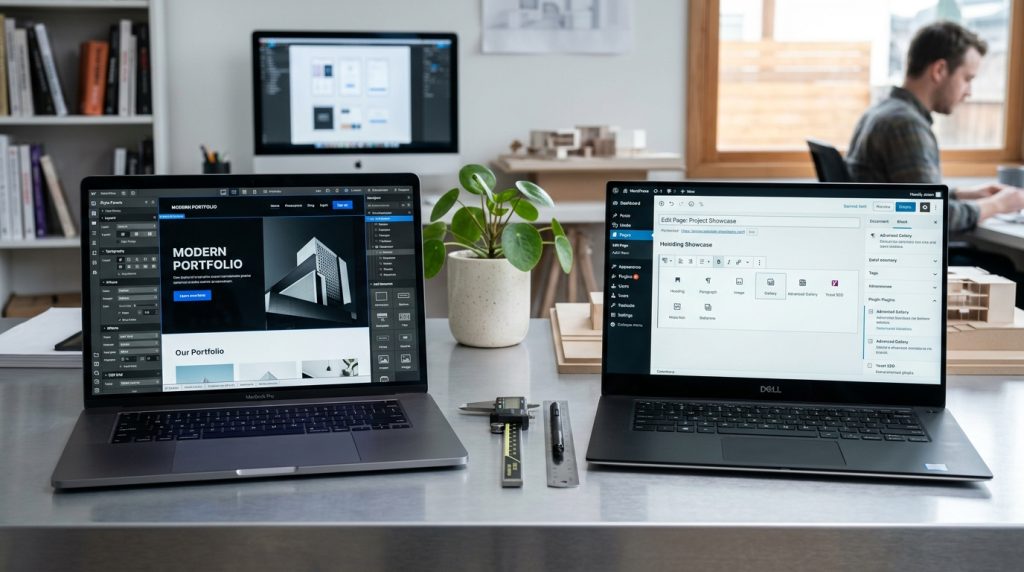
Webflow and WordPress both build websites, but through very different approaches. WordPress is open-source software you install on your own hosting. Webflow is a hosted platform where design and hosting come together. Both can produce excellent websites. Both have significant advantages and drawbacks.
Choosing between them for a specific project depends on many factors. Technical comfort. Design requirements. Content strategy. Budget. Growth expectations. The right choice for one situation is wrong for another.
This piece covers what each platform offers, where they excel and where they struggle, and how to choose the right one for your needs.
The Fundamental Difference
The platforms take opposite approaches.
WordPress: Open Source Self-Hosted
WordPress is free software. You install it on your own hosting. You configure it. You maintain it. Full control comes with full responsibility.
The ecosystem includes thousands of themes and plugins. Community developed. Community supported (mostly).
Webflow: Hosted Design Platform
Webflow is a hosted platform. Design, CMS, and hosting come together. You pay subscription fees. Webflow handles the infrastructure.
The design approach is visual. Focus on how sites look and work rather than technical infrastructure.
The Core Trade-Off
WordPress optimizes for flexibility and control. Webflow optimizes for design workflow and ease of hosting.
Both are legitimate choices depending on priorities.
Design & Customization
Where each excels.
WordPress Design
Themes control WordPress design. Thousands available. Free and premium options.
Customization happens through theme options, page builders, or code modifications. Page builders like Elementor, Divi, or Beaver Builder provide visual editing.
Custom themes or heavy customization typically requires code work.
Webflow Design
Webflow’s core strength. Visual builder provides significant design freedom without code. Custom layouts, animations, and interactions are accessible.
Design flexibility exceeds what most WordPress page builders offer, especially for unusual or highly customized designs.
The Winner for Design
Webflow for pure design flexibility without code. WordPress with page builders comes close for many designs but does not match Webflow’s freedom.
For projects where design matters most, Webflow often wins. For projects where standard designs work, WordPress themes often work well.
Content Management
How each handles editing.
WordPress Content
Original strength of WordPress. Extensive content management features. Multiple authors. Editorial workflows. Categories, tags, custom taxonomies.
Gutenberg block editor for modern editing. Older classic editor still available.
Scales well for content-heavy sites.
Webflow Content
Webflow’s CMS works well for structured content. Collections handle blog posts, portfolios, products, and other repeatable content.
Editor interface is clean. But less flexible than WordPress for complex editorial needs.
Multiple contributors work but not with the sophistication WordPress offers.
The Winner for Content
WordPress for content-heavy sites with many contributors. Webflow for structured content with simpler editorial needs.
Publications, news sites, and multi-author blogs work better on WordPress. Simpler blogs and portfolios work fine on Webflow.
Ease of Use
The learning curves.
WordPress Ease of Use
Setting up WordPress requires understanding hosting, installation, and configuration. More technical than hosted platforms.
Once running, WordPress admin is accessible. Non-technical users can add content easily.
Managing themes, plugins, and updates requires ongoing attention.
Webflow Ease of Use
Signup is simple. No hosting to manage. Get started fast.
But the designer interface is more complex than most builders. Non-designers may struggle.
For designers, Webflow becomes productive relatively quickly. For non-designers, it can feel overwhelming.
The Winner for Ease
Depends on the user. WordPress is easier for non-technical content creators once set up. Webflow is easier for designers who avoid hosting management. Squarespace or Wix are easier for pure non-designers.
Cost Comparison
The financial picture.
WordPress Costs
WordPress software: free.
Hosting: $5-$200+ per month depending on quality.
Domain: $10-$20 per year.
Premium theme: $50-$100 one-time typically.
Plugins: various, from free to $500+ per year.
For small sites: $10-$30 per month total.
For growing sites: $50-$200 per month.
For serious sites: $200+ per month.
Webflow Costs
Free plan for learning. No custom domain.
Basic site plan: around $18 per month.
CMS plan: around $29 per month.
Business plan: around $49 per month.
E-commerce plans: additional cost on top of site plan.
For small marketing sites: around $20 per month.
For most business sites: $30-$50 per month.
For e-commerce: $60+ per month.
The Cost Comparison
For very small sites, WordPress can be cheaper.
For most business sites, costs are roughly comparable when you account for hosting and paid plugins in WordPress.
Webflow’s pricing is simpler and more predictable. WordPress can be cheaper but adds up when you factor in all costs.
Performance
Speed comparison.
WordPress Performance
Depends heavily on hosting, theme, and plugins. Well-optimized WordPress sites on good hosting are fast. Poorly optimized sites are slow.
Managing performance requires attention. Caching, image optimization, hosting choices all matter.
Webflow Performance
Generally good. Webflow’s infrastructure is optimized. Their built-in optimizations apply automatically.
Less variation than WordPress. Most Webflow sites perform reasonably.
The Winner for Performance
Webflow by default. WordPress can match or exceed Webflow with good hosting and optimization but requires more work.
For businesses where performance matters and technical capacity is limited, Webflow’s default performance is valuable.
SEO Capabilities
Search optimization.
WordPress SEO
Extensive SEO capabilities through plugins. Yoast SEO, Rank Math, and others provide sophisticated SEO tools.
Full control over technical SEO elements. URL structures, schema markup, meta tags. All customizable.
Content strategy support with categories, tags, and archive pages.
Webflow SEO
Solid SEO basics built in. Meta titles and descriptions. Sitemaps. Schema for CMS content.
Advanced SEO customization requires more work. Some technical SEO elements less accessible than in WordPress with plugins.
The Winner for SEO
WordPress for advanced SEO work. Webflow handles basics well but WordPress with proper plugins provides more sophistication.
For content-focused sites where SEO drives significant traffic, WordPress often provides more capability.
E-commerce
For selling online.
WordPress E-commerce
WooCommerce is the standard. Free plugin with extensive functionality. Thousands of extensions. Handles small stores to large operations.
Requires setup and optimization. Payment processing through gateways.
Webflow E-commerce
Built-in e-commerce features. Design freedom for stores. Standard product management, cart, checkout.
Less feature-rich than WooCommerce. Smaller app ecosystem. Better suited for design-focused stores than high-volume operations.
The Winner for E-commerce
WooCommerce on WordPress for serious e-commerce. Webflow for design-focused stores with modest operations.
For most stores that grow significantly, WordPress with WooCommerce or Shopify usually fits better than Webflow.
Maintenance & Ongoing Work
Long-term operations.
WordPress Maintenance
Regular updates for WordPress core, themes, and plugins. Security patches. Backup management. Hosting management.
Ongoing technical attention required. Can be managed but takes time.
Webflow Maintenance
Minimal. Webflow handles platform-level maintenance. No updates to worry about. No security patches to apply.
Content updates happen through the editor. Design changes through the designer. Simple.
The Winner for Maintenance
Webflow for simplicity. WordPress requires ongoing attention that Webflow does not.
For businesses without technical capacity or interest in technical management, Webflow’s lower maintenance burden is valuable.
Community & Support
Getting help.
WordPress Community
Massive community. Documentation, tutorials, forums, meetups. Almost any question has been answered somewhere.
No official support for WordPress core. Premium themes and plugins usually include support.
Webflow Community
Growing community. Webflow University provides excellent official learning resources. Community forums and Discord.
Official Webflow support available on paid plans.
The Winner for Support
Different strengths. WordPress has more community resources. Webflow has better official support and centralized learning.
For self-directed learners, both work. For people who want official support, Webflow provides it more directly.
Vendor Lock-In
Long-term freedom.
WordPress Freedom
Your WordPress site is yours. Files, database, everything. You can move hosts. Modify anything. Not dependent on any single company.
WordPress core is open source. Cannot be shut down or removed.
Webflow Lock-In
Your Webflow site is on Webflow. Cannot easily be moved elsewhere. If Webflow disappeared, sites would need to be rebuilt.
Content can be exported but design and functionality do not transfer.
The Winner for Freedom
WordPress by a significant margin. Webflow lock-in is real.
For businesses where long-term platform independence matters, WordPress is safer.
When to Choose WordPress
Situations that favor WordPress.
Content-Heavy Sites
Publications, news sites, multi-author blogs, sites with extensive publishing needs.
Serious E-commerce
Stores that will grow significantly or have complex requirements.
Advanced SEO Focus
Businesses where organic search drives significant traffic and needs sophisticated optimization.
Custom Functionality Needs
Requirements beyond what themes and standard plugins provide. Custom development options are extensive.
Cost-Conscious Small Sites
Very small sites can run on WordPress cheaper than Webflow.
Long-Term Independence
Businesses that value not being locked into a specific platform.
When to Choose Webflow
Situations that favor Webflow.
Design-Focused Sites
Sites where distinctive design matters most. Marketing sites for design agencies, creative businesses, brands with strong visual identity.
Portfolio Sites
Designer portfolios, photographer portfolios, creative professional showcases.
Landing Pages
Custom marketing landing pages that need distinctive design.
Small Business Sites
Business websites where design flexibility matters and content operations are simple.
Agencies Building Client Sites
Agencies building custom sites for clients. Webflow’s workflow suits this well.
Non-Technical Business Owners
Business owners who want managed infrastructure without technical concerns. But they need to be design-comfortable.
The Overall Verdict
Neither platform is objectively better.
Different Strengths
WordPress wins on content management, ecosystem, cost at small scales, and platform independence.
Webflow wins on design freedom, out-of-the-box performance, simplicity of hosting, and design workflow.
The Real Question
What matters most for your specific project? The right answer varies.
Try Both
For undecided decisions, try both platforms on small projects. See which fits your workflow better. Direct experience reveals fit that comparison articles cannot.
Bringing the Platform Comparison Together
The choice between Webflow and WordPress is not about which is better in absolute terms. Both power successful websites for many businesses. The right choice depends on your specific situation.
For designers and design-focused businesses, Webflow often fits better. The design freedom aligns with how designers work. The lower technical overhead lets you focus on design rather than infrastructure.
For content-focused sites and businesses with technical capacity, WordPress often fits better. The content management sophistication and ecosystem depth support serious content operations.
For non-technical business owners without design skills, neither platform is ideal. Squarespace or Wix may fit better for pure ease of use with acceptable design.
For agencies, both platforms serve. WordPress for content-focused client sites. Webflow for design-focused client sites. Some agencies use both for different types of projects.
For businesses considering migration, both have paths in and out. WordPress migrations are complex but doable. Webflow migrations are more disruptive because design doesn’t transfer.
The compound effect of platform choice matters. Systems evolve on the platform you chose. Skills develop around it. Team knowledge accumulates. Switching platforms years later becomes significant work.
For businesses considering starting a new site, take the time to evaluate. Understand what your business actually needs. Try both platforms on small projects. Talk to businesses using each. The initial evaluation prevents platform choice mistakes that would be expensive to unwind later.
Both Webflow and WordPress are capable enough that success comes down to what you build on them. Great content, effective marketing, good user experience, and quality operations produce successful sites on both platforms. Poor execution fails on either.
Whichever you choose, commit to learning it well. Take advantage of what it does well. Work around what it does not. The platform is the foundation. What you build on top of it determines whether the site succeeds. Choose the foundation that fits your needs, then focus on building well on top of it. The platform decision matters, but not as much as what you do after making it.