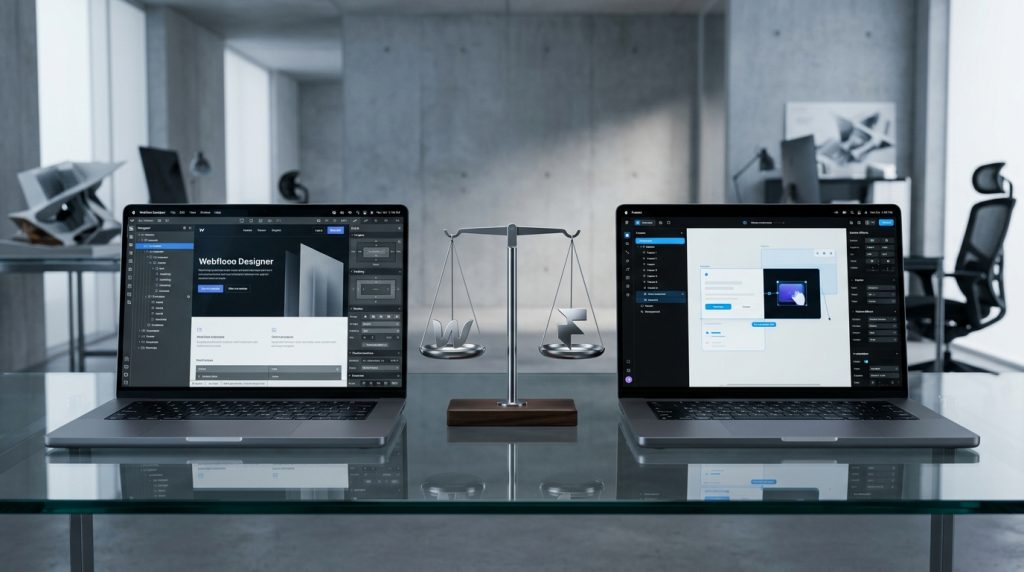
Webflow and Framer are both visual web design platforms that let designers build websites without writing code. Both have grown significantly in recent years. Both attract designers who want more design freedom than typical builders provide. But they take different approaches to solving similar problems.
For designers deciding which platform to learn or use for a specific project, the choice matters. The tools have different strengths. Different learning curves. Different long-term implications for the projects you build on them.
This piece covers what each platform offers, where they excel, and how to decide which fits your needs.
The Origins & Positioning
Where each comes from.
Webflow’s Background
Webflow launched in 2013. Built by designers frustrated with the limitations of traditional web builders and the complexity of code-based development.
Focused from the start on generating clean HTML, CSS, and JavaScript from visual design.
Positioned itself as bringing web design accessibility to designers.
Framer’s Background
Framer started as a design and prototyping tool. Originally used for creating interactive prototypes to demonstrate designs.
Evolved into a full website building platform relatively recently. The transition from prototype tool to production platform influences how the product works.
Positioned itself as making design-to-production faster and easier.
Different Philosophies
Webflow emphasizes structure and reusability. Building sites the way developers build them, but visually.
Framer emphasizes design velocity and creative freedom. Getting from idea to published site quickly.
The Design Interface
Where the work happens.
Webflow Designer
Complex interface with many panels and controls. Everything is accessible but takes time to learn.
Feels like a professional web design tool. Rewards depth of knowledge with significant capability.
Class-based styling system similar to CSS. Understanding CSS concepts helps.
Framer Interface
Cleaner, more Figma-like interface. Familiar to designers coming from Figma.
Easier to get started but with different depth of capability compared to Webflow.
Uses a component-based approach more similar to how designers think in Figma.
Learning Curve
Framer typically has a gentler learning curve for designers coming from Figma. The interface feels more familiar.
Webflow has a steeper learning curve but offers more depth once learned.
CMS Capabilities
For dynamic content.
Webflow CMS
Mature CMS with collections, references, and templates. Handles blogs, portfolios, and content-heavy sites well.
Item limits based on plan. Enterprise plans allow more.
Well-documented and widely used.
Framer CMS
Growing CMS capabilities. Improving rapidly but less mature than Webflow.
Newer feature that has evolved significantly.
Fewer users mean less community knowledge to draw on.
The Practical Difference
For content-heavy sites, Webflow’s CMS is more proven. For simpler content needs, Framer’s CMS covers what most sites need.
E-commerce
For selling online.
Webflow E-commerce
Built-in e-commerce capabilities. Products, cart, checkout. Design freedom for stores.
Standard plans for smaller stores. Higher plans for larger operations.
Not as feature-rich as Shopify but functional for design-focused stores.
Framer E-commerce
Less mature e-commerce. Integrations with Shopify, WooCommerce, or other platforms are common approaches.
Framer as design layer, e-commerce platform as backend.
Different approach than Webflow’s all-in-one.
The Consideration
For all-in-one e-commerce, Webflow provides more directly. For designs that integrate with existing e-commerce, Framer plus another platform works.
Animation & Interactions
Where each excels.
Webflow Interactions
Sophisticated interactions system. Multi-step animations. Scroll-based effects. Complex triggers.
Powerful but complex. Learning curve significant.
Framer Interactions
Framer’s roots in prototyping show. Animation and motion feel native to the tool.
Often simpler to create common animations. But sometimes less capable for very complex sequences.
The Comparison
For sites that need sophisticated custom animations, both can produce excellent results but through different workflows.
Framer often feels more intuitive for animation-heavy work. Webflow provides more control for very specific animation requirements.
Component Systems
For reusable design elements.
Webflow Symbols
Reusable components. Change once, updates everywhere. Symbols with overrides for variations.
Practical for common patterns like headers, footers, cards.
Framer Components
More sophisticated component system. Closer to modern web development patterns.
Components with properties and variants. Similar to how designers work in Figma.
The Design Workflow
For designers used to component-based work in Figma, Framer’s system feels more natural.
For traditional web design approaches, Webflow’s symbols work well.
Code Output
The technical side.
Webflow Code
Generates clean HTML, CSS, and JavaScript. Real code that developers can inspect and work with.
You can export code from Webflow (though hosting on Webflow is the standard approach).
The code output is a real strength.
Framer Code
Generates code but the approach is more abstract. React-based underneath.
Less transparent than Webflow’s output. What you see visually maps to code differently.
For sites hosted on Framer, the specifics matter less.
The Portability Question
Webflow sites can be exported and hosted elsewhere (with limitations). Framer sites are more tightly coupled to Framer’s platform.
For businesses concerned about platform independence, Webflow provides more flexibility.
Hosting & Performance
Where sites live.
Webflow Hosting
Included with paid plans. Fast infrastructure. Good performance out of the box.
Standard hosting for most Webflow sites.
Framer Hosting
Also included with paid plans. Modern infrastructure.
Performance is generally good.
The Comparison
Both provide capable hosting. Neither is dramatically better than the other for typical sites.
Pricing Comparison
Cost considerations.
Webflow Pricing
Site plans starting around $18 per month for basic sites. CMS plans around $29. Business plans around $49.
E-commerce adds costs on top.
Workspace plans on top of site plans.
Overall costs for typical sites: $30-$80 per month.
Framer Pricing
Simpler pricing structure. Plans starting around $15 per month for basic sites.
Higher tiers for more features and higher limits.
Overall costs for typical sites: $20-$100 per month depending on plan.
The Comparison
Costs are roughly comparable. Neither is dramatically cheaper than the other for equivalent sites.
Community & Ecosystem
Support and resources.
Webflow Community
Larger community. More tutorials, templates, and resources. Established for years.
Webflow University provides excellent official learning.
More designers with Webflow experience available to hire.
Framer Community
Growing rapidly. Newer platform means smaller community.
Framer’s team is very active in the community.
Fewer resources overall but quality is generally high.
The Consideration
For learning, Webflow has more available resources. For a growing platform on the rise, Framer offers early-adopter advantages.
Third-Party Integrations
Extending capabilities.
Webflow Integrations
Established integrations with popular tools. Zapier, Mailchimp, HubSpot, and many others.
Webflow’s API allows custom integrations for teams with development capacity.
Framer Integrations
Growing library of integrations. Modern approach to connecting with other tools.
Framer plugins provide extensibility.
The Comparison
Webflow’s integration library is more mature. Framer is catching up.
For sites needing specific integrations, verify support before choosing.
When Webflow Fits Better
Situations that favor Webflow.
Content-Heavy Sites
Blogs, publications, and content-focused sites benefit from Webflow’s mature CMS.
E-commerce Focus
For built-in e-commerce, Webflow has more direct support.
Long-Term Business Sites
Established sites benefit from Webflow’s larger community and more mature ecosystem.
Sites Needing Portability
Concerns about platform lock-in favor Webflow’s code export capabilities.
Traditional Web Design Backgrounds
Designers with HTML/CSS background may find Webflow’s approach more familiar.
Larger Team Collaboration
Webflow’s workspace and team features are more established.
When Framer Fits Better
Situations that favor Framer.
Design Velocity
Getting from idea to published site quickly. Framer often enables faster launches.
Designers From Figma
Designers coming from Figma often find Framer more intuitive.
Animation-Heavy Sites
Sites where sophisticated motion design matters may find Framer’s animation tools more natural.
Modern Design Aesthetics
Framer often produces sites with more current design feels. Aesthetic considerations sometimes matter.
Landing Pages & Marketing Sites
For campaign-driven marketing sites, Framer’s velocity is valuable.
Startup Environments
Fast-moving teams that want to iterate quickly.
When Neither Fits
Situations that suit other platforms.
Traditional Content Publishing
Publications with complex editorial workflows may fit WordPress better.
Serious E-commerce Operations
Growth-focused e-commerce fits Shopify better than either.
Simple Sites for Non-Designers
Squarespace or Wix serve simple needs for non-designers better.
Custom Applications
Sites needing significant custom functionality may require traditional development.
The Learning Investment
Choosing what to learn.
Career Considerations
Webflow skills have wider market demand currently. More agencies and businesses use it.
Framer skills are less common but the platform is growing. Early expertise may become valuable.
Project Considerations
For specific projects, the platform that fits the project should be learned. Do not force platform choice based on prior skills.
Trying Both
Both offer free tiers. Actually building small projects on each reveals fit better than reading comparisons.
Migration Between Platforms
Moving projects.
Between Design Tools
If you have work in Figma or another design tool, both platforms can import to varying degrees.
Between Webflow & Framer
Direct migration between the two is not straightforward. Would essentially rebuild.
The Lock-In Consideration
Once committed to a platform, migration is significant work. Choose thoughtfully.
Wrapping Up the Design Tool Comparison
Webflow and Framer both serve designers who want visual web design capabilities. The choice between them depends on specific needs, workflow preferences, and project types.
For content-heavy sites, e-commerce, or projects requiring maturity of ecosystem, Webflow is usually the safer choice.
For designers coming from Figma, animation-focused work, or fast-moving marketing sites, Framer often fits better.
Both platforms are actively developing. Feature gaps may close over time. Current comparisons may not reflect the situation in a year or two.
For designers deciding which to learn, considering market demand matters. Webflow has more established demand. Framer is growing.
For agencies choosing platforms for client work, consider what your team already knows. Adding a new platform requires investment.
For businesses evaluating for a specific project, the project requirements should drive the choice more than general platform preference.
Both platforms have strong communities of committed users. Both produce excellent sites when used well.
The philosophical differences matter. Webflow emphasizes structure and web development patterns. Framer emphasizes design velocity and Figma-like workflows. Neither approach is objectively better. Different designers prefer different approaches.
For designers evaluating for personal projects, try both. See which feels more natural. Which enables the work you actually want to do.
For businesses committing to one platform, think about long-term direction. Which platform’s trajectory aligns with your needs?
Both platforms are legitimate choices. Both will likely continue to evolve. Both have found their place in the market.
Whichever you choose, commit to learning it well. The platform is a tool. Mastery produces better results than dabbling in multiple tools. Depth beats breadth for productive work.
The design tool market has more options than it did a few years ago. Webflow and Framer are two of the strongest. Others exist and are worth knowing. Understanding the landscape helps make informed decisions.
For the projects you build, the platform is the foundation. What you create on it matters more than which platform you chose. Great design work happens on both. Poor design work also happens on both. The tools are enablers. Your skills and thinking determine the results.
Take the time to evaluate honestly for your specific situation. Try before committing where possible. Then focus on building great work on whichever platform you choose. The tools should support your work, not become the focus of it.