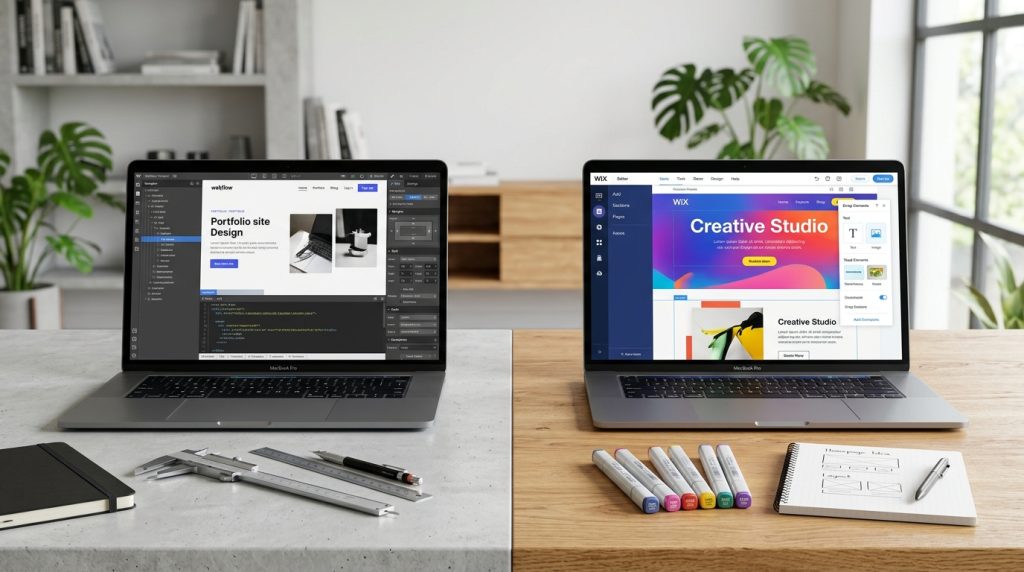
Webflow and Wix both let you build websites without hiring developers, but they target very different users. Webflow attracts designers and creative professionals who want design freedom. Wix targets everyone else, especially small business owners without design skills who want to get online quickly.
The difference in approach shows up throughout both platforms. Webflow expects design knowledge and rewards it. Wix expects nothing and provides templates that non-designers can customize. Neither is universally better. Each serves its users well.
This piece covers what each platform offers, who they suit, and how to decide which fits your situation.
The Fundamental Difference
Different audiences, different approaches.
Webflow’s Position
Made for designers. Provides tools that reward design knowledge. Enables custom design without code.
Steep learning curve. Sophisticated capabilities. Professional results possible for those who master it.
Wix’s Position
Made for everyone. Templates for various business types. Drag-and-drop simplicity.
Gentle learning curve. More limited design flexibility. Faster time to a functional website.
The Core Trade-Off
You are choosing between design freedom and ease of use. Webflow optimizes for design capability. Wix optimizes for accessibility.
Both are legitimate choices depending on your priorities.
Ease of Use
Where Wix dominates.
Wix Ease
Extremely accessible for non-designers. Template selection. Drag elements. Change colors. Add content. Publish.
Someone with no design experience can create a functional website in a few hours.
Webflow Learning Curve
Much steeper. Requires understanding web design concepts. Class-based styling. Responsive design principles.
Someone without design background may struggle for weeks or months before becoming productive.
Winner for Ease
Wix by a significant margin. Not close.
If ease of use is the primary concern, Wix is the answer.
Design Flexibility
Where Webflow excels.
Webflow Design Freedom
Nearly complete design freedom. Custom layouts. Unique interactions. Sophisticated typography. Distinctive designs that do not look templated.
Designers can create sites that stand out.
Wix Design Constraints
Template-based approach. You customize within template structures. Significant customization is possible but constrained by template design.
Sites often look templated even when customized because templates constrain fundamental structure.
Winner for Flexibility
Webflow by a significant margin. Designs that are possible on Webflow are impossible or very difficult on Wix.
For projects where distinctive design matters, Webflow is essentially required.
Templates & Starting Points
Getting started.
Wix Templates
Hundreds of templates for various business types. Restaurants, salons, portfolios, blogs, e-commerce. Almost every business type has relevant templates.
Choose a template. Customize with your content. Publish.
Webflow Templates
Growing template library. Many free templates. Premium templates for various needs.
Templates are more sophisticated than Wix but require more skill to customize.
The Practical Difference
For non-designers wanting something functional quickly, Wix templates provide better starting points that need less skill to customize.
For designers who see templates as starting points to modify significantly, Webflow templates work fine.
Content Management
For sites with dynamic content.
Wix CMS
Wix has a CMS (called Wix Content Manager). Handles blogs, custom collections, and dynamic content.
Adequate for most small business needs.
Webflow CMS
More sophisticated CMS. Collections with typed fields. References between collections. Custom templates.
Better for content-heavy sites and complex content operations.
Winner for Content
Webflow provides more capability. Wix is enough for simple needs.
For content-focused sites, Webflow generally fits better.
E-commerce
For selling online.
Wix E-commerce
Built-in e-commerce features. Products, cart, checkout, payment processing.
Sufficient for small to medium stores.
Webflow E-commerce
Built-in e-commerce with more design flexibility. Design-focused stores work well.
More capable than typical Wix stores in design terms.
The Comparison
For serious e-commerce, Shopify usually fits better than either.
Between Webflow and Wix for e-commerce, Webflow provides more design freedom. Wix provides easier setup.
Performance
Speed matters.
Webflow Performance
Generally fast. Clean code output. Optimized hosting.
Well-built Webflow sites perform excellently.
Wix Performance
Historically slower than Webflow. Wix has improved but code overhead exists.
Basic Wix sites are functional but rarely match Webflow speed.
Winner for Performance
Webflow. The clean code output produces faster sites.
For sites where performance matters (which is most sites), this matters.
SEO Capabilities
Search optimization.
Webflow SEO
Strong SEO capabilities. Clean HTML. Semantic elements. Full control over meta tags. Good technical SEO.
Wix SEO
Improved significantly over the years. Basic SEO capabilities available. More limited than Webflow for technical SEO work.
Winner for SEO
Webflow has advantages. Wix is adequate for basic SEO but not as capable.
For SEO-focused sites, Webflow provides more control.
Pricing Comparison
Cost considerations.
Webflow Pricing
Site plans starting around $18 per month. CMS plans around $29. Business plans around $49.
E-commerce and workspace plans add costs.
Overall: $30-$80+ per month for typical sites.
Wix Pricing
Plans starting around $16 per month. Higher tiers up to around $60 per month.
E-commerce plans add costs.
Overall: $20-$60 per month for typical sites.
The Comparison
Costs are roughly comparable. Neither is dramatically cheaper for equivalent capabilities.
App Ecosystems
Extending functionality.
Wix App Market
Substantial app market. Various apps for common needs. Some free, most paid.
Growing over the years.
Webflow Integrations
Fewer direct apps. More reliant on external service integrations. Zapier for automation.
Different approach than Wix’s dedicated app market.
The Comparison
Wix has more turnkey apps. Webflow relies on external integrations more.
For non-technical users, Wix’s apps are easier. For technical users, Webflow’s integrations offer flexibility.
Support & Community
Getting help.
Wix Support
Extensive support. 24/7 customer support. Video tutorials. Help documentation.
Made for users who need help.
Webflow Support
Support available but less immediate than Wix. Webflow University provides excellent learning resources.
Community-supported through forums and Discord.
Winner for Support
Wix for direct support. Webflow for learning resources.
Different strengths.
When Wix Fits Better
Situations that favor Wix.
Non-Designer Business Owners
Small business owners without design skills who need websites. Wix is more accessible.
Fast Time to Launch
Getting online quickly. Wix’s templates and simplicity enable fast launches.
Simple Business Sites
Basic marketing sites, contact forms, service listings. Standard business needs.
Budget-Sensitive Small Businesses
Very small operations without design resources. Wix serves this market well.
Testing Business Ideas
Getting something online to validate an idea. Wix handles this quickly.
DIY Website Building
Business owners who want to build sites themselves without professional help.
When Webflow Fits Better
Situations that favor Webflow.
Design-Focused Businesses
Where distinctive design matters. Creative businesses, agencies, design-forward brands.
Designers Building for Clients
Designers with skills that Wix cannot fully accommodate. Webflow enables their work.
Sites Needing Distinctive Design
Custom-looking sites that stand out. Webflow provides tools that Wix cannot.
Content-Heavy Operations
Sites with significant content management needs. Webflow’s CMS is more capable.
Sites Prioritizing Performance & SEO
Where technical SEO and speed matter. Webflow provides better foundations.
Long-Term Business Sites
Sites you plan to grow and evolve significantly. Webflow scales better than Wix for growing businesses.
The Skill Level Consideration
Match platform to skill.
True Non-Designers
Should probably use Wix (or Squarespace or another accessible platform). Trying to force Webflow when you cannot design produces frustration and mediocre results.
Designers Using Design Tools Currently
Should probably learn Webflow. Wix’s constraints would frustrate designers used to creative freedom.
Somewhere in Between
Consider what you want to accomplish. Willing to invest in learning Webflow? Its capabilities are worth it. Want to get online without significant investment? Wix works.
Business Owners With Design Sensibility
May do well with Webflow if willing to invest in learning. Distinctive sites without hiring designers.
Migration Considerations
Moving between platforms.
Wix to Webflow
Migration is significant work. Design must be rebuilt entirely. Content can be migrated but design and structure are different.
Often better to redesign than migrate.
Webflow to Wix
Similar situation in reverse. Complete rebuild essentially required.
Vendor Lock-In
Both platforms have significant lock-in. Neither exports easily to standalone hosting.
For businesses concerned about platform independence, consider self-hosted alternatives.
The Wix Improvement Trajectory
Wix has evolved.
Recent Improvements
Wix Studio (their more advanced editor) narrows the design flexibility gap with Webflow. Editor X (previous product) targeted designers directly.
Wix continues investing in design capabilities.
The Gap Narrows
The absolute gap between Wix and Webflow’s capabilities is smaller than it was. Wix Studio in particular offers more than traditional Wix.
For designers currently using Wix, Wix Studio may cover more needs than expected.
Common Comparison Mistakes
Users stumble in predictable ways.
Choosing Wix Because It Is Cheaper
Cost is not the main difference. Choosing based purely on cost may lead to platform mismatch.
Choosing Webflow Because It Is Trendy
Webflow has developer/designer cachet. But if you cannot design, Webflow will not solve your problems.
Not Considering Long-Term
Business sites should be evaluated based on where they will be in years, not where they are now.
Ignoring Team Capabilities
The right platform depends on who will build and maintain it. Non-designers cannot use Webflow effectively.
Underestimating the Learning Curve
Webflow expects significant learning investment. Wix expects almost none. Match choice to willingness to learn.
Alternatives Worth Considering
Neither may be the answer.
Squarespace
Similar to Wix in accessibility. More design polish than Wix in many templates. Popular alternative.
Framer
Similar to Webflow in design freedom. Different approach. Growing rapidly.
WordPress
Different approach entirely. Content-focused. Requires more technical work but provides significant capability.
Shopify
For e-commerce-focused businesses. Neither Webflow nor Wix competes directly for serious e-commerce.
Custom Development
For maximum flexibility. Higher cost and complexity.
Closing Thoughts on Platform Fit
The choice between Webflow and Wix is fundamentally about who is building the site and what they need to create.
For non-designers who need functional websites, Wix is the more sensible choice. The learning curve is manageable. Templates provide adequate starting points. The result may not be distinctive, but it will be functional.
For designers who want creative freedom, Webflow provides tools that Wix cannot match. The learning investment pays back through the sites you can build.
For agencies building for clients, the choice depends on client needs. Clients who need distinctive design get Webflow work. Clients who need functional business sites might get Wix work or Webflow depending on budget.
For business owners uncertain about their design capabilities, be honest. Trying to force Webflow when you cannot design produces frustration. Trying to force Wix when you have serious design ambitions produces limits you will not accept.
For small businesses on tight budgets, cost is not actually the biggest difference. Wix and Webflow cost similar amounts for typical operations. Choose based on capabilities, not modest cost differences.
For business owners considering hiring designers to build their sites, Webflow work is more expensive than Wix work usually. Designers charge for skill. But results differ correspondingly.
The right choice for a specific project depends on the specific situation. General preferences for one platform over the other are less useful than evaluating for the actual work at hand.
Both platforms serve their intended users well. Wix is not bad. Webflow is not universally superior. Each provides value for the audiences they target.
For sites already built on either platform, focus on making the site work rather than second-guessing the platform choice. Both platforms can produce successful sites when used well.
For new projects, evaluate honestly. What skills do you have? What do you want to accomplish? What is your realistic willingness to invest in learning? The answers guide the choice.
The website building market has more good options than it once did. Wix and Webflow are two of them. Others exist. The right platform for your project is the one that fits your specific situation, not the one that has the most marketing hype or the strongest opinions among people who are not you. Take the time to make the choice that fits, then build something great on whatever platform you choose. The platform is the foundation. What you build determines whether the site succeeds. Focus on the building, and the platform becomes a support rather than a limitation.