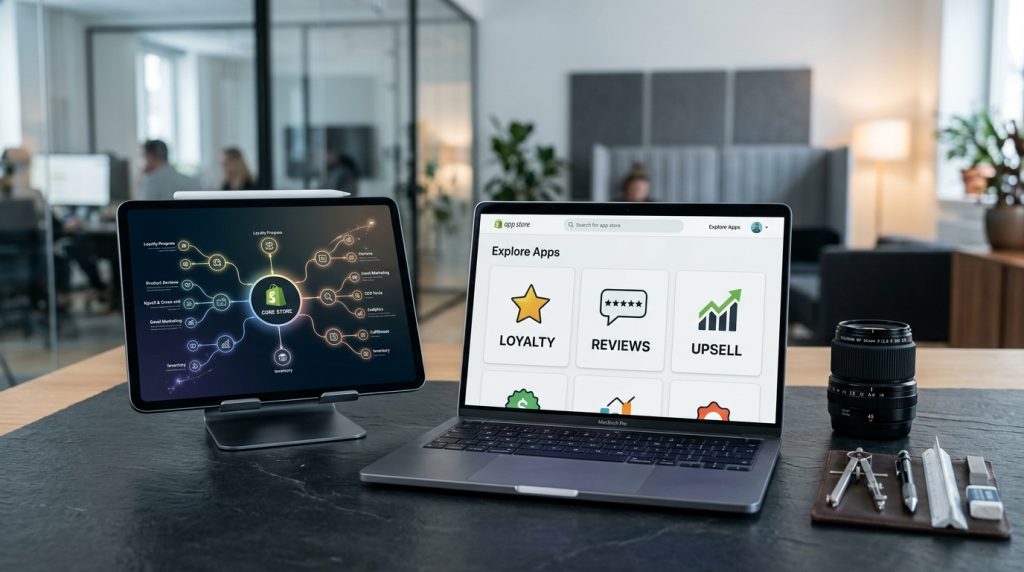
Shopify comes with strong core features but not every feature every store needs. Reviews. Loyalty programs. Advanced product options. Live chat. Countdown timers. Currency converters. The list of things stores might want extends far beyond what Shopify includes by default.
The Shopify App Store fills these gaps. Thousands of apps add functionality to stores. Some are free. Most cost monthly subscription fees. Choosing which apps to add and which to skip affects your store’s capabilities and costs significantly.
This piece covers what apps are, how to choose good ones, and which categories of apps most stores benefit from.
What Shopify Apps Actually Are
The basic mechanism.
Software That Extends Shopify
Apps are pieces of software that add functionality to Shopify stores. They integrate with the platform to provide features Shopify itself does not include.
Developed by Third Parties
Apps come from thousands of different developers. Shopify itself makes some apps. Independent developers make most.
Available in the App Store
The Shopify App Store lists thousands of apps. Reviews, ratings, pricing, and details are visible before you install.
Installed to Individual Stores
You install apps to your specific store. They add their functionality to your store specifically.
Different Pricing Models
Free apps exist. Many apps use monthly subscription pricing. Some charge per transaction. Some have tiered pricing based on usage or features.
How Apps Work
The technical integration.
Access to Your Store
Apps get permission to access parts of your store. Products, orders, customer information. What they can access is controlled during installation.
Adding Features to Admin
Many apps add features to the Shopify admin. Menu items, dashboard widgets, settings pages.
Adding Features to Storefront
Apps often add features customers see. Product badges, review displays, chat widgets, countdown timers.
Background Processing
Some apps do work in the background. Sending emails. Processing data. Updating inventory. These happen without visible presence.
API Integration
Apps typically use Shopify’s API to interact with your store. This standardization makes app development consistent.
Categories of Apps
Understanding what is available.
Marketing Apps
Email marketing. SMS marketing. Advertising integrations. Popup builders. Social media tools. Marketing categories are large.
Sales & Conversion Apps
Upsell and cross-sell tools. Cart recovery. Countdown timers. Popup coupons. Anything focused on increasing conversion or order value.
Product Apps
Product options builder. Bundling tools. Custom product designers. Product filters. Anything that extends product functionality.
Customer Service Apps
Live chat. Help desk. Support ticket systems. FAQ builders. Contact form tools.
Reviews Apps
Product reviews. Photo reviews. Video reviews. Ratings displays. Social proof tools.
Loyalty & Rewards Apps
Loyalty programs. Points systems. Referral programs. VIP tiers. Repeat customer engagement tools.
Inventory & Fulfillment Apps
Inventory management. Shipping integrations. Purchase order systems. Warehouse management tools.
Analytics Apps
Advanced analytics beyond Shopify’s built-in reports. Customer analytics. Cohort analysis. Attribution tools.
SEO Apps
SEO optimization tools. Schema markup. Meta tag editors. Redirect managers.
Design Apps
Page builders. Section builders. Custom design tools. Anything that extends design capabilities.
Store Management Apps
Bulk product editors. Content management tools. Automation platforms. Store operational tools.
How to Choose Good Apps
Selection matters.
Check the Rating
Apps with 4.5+ stars from many reviews are usually reliable. Apps with lower ratings or few reviews warrant more scrutiny.
Read Recent Reviews
Look at reviews from the last few months. Older reviews may not reflect the current state. Recent problems are more relevant than old praise.
Check Update Frequency
Apps that get regular updates are more reliable than apps that have not been updated in a year. Check when the app was last updated.
Look at Developer Reputation
Established developers with multiple successful apps are more reliable than one-off developers. Check what else they have made.
Verify Pricing Clarity
Some apps have confusing pricing. Verify what you will actually pay. Watch for usage-based pricing that could get expensive.
Consider Support
What kind of support does the app provide? Response times? Availability? Support quality matters when things go wrong.
Test Before Committing
Most apps have free trials. Use them. Verify the app actually solves your problem before committing to a paid plan.
Check Performance Impact
Some apps significantly slow down your store. Test performance before and after installation.
Essential App Categories for Most Stores
Categories most stores benefit from.
Email Marketing App
Email marketing is one of the highest-ROI activities in e-commerce. Klaviyo and Omnisend are popular options.
Reviews App
Social proof significantly affects conversions. Judge.me, Yotpo, and Loox are common review apps.
SEO App
Beyond Shopify’s built-in SEO, additional tools help. SEO Manager, Plug In SEO, or similar apps.
Image Optimization App
Image optimization saves loading time. TinyIMG, Bulk Image Compressor, or similar tools.
Product Filter App
For stores with many products, better filtering improves browsing. Boost Product Filter and Search or similar.
Cart Recovery App
Recovering abandoned carts converts near-buyers into actual buyers. The previous piece in this series covered cart recovery in detail.
Support Chat App
Being reachable when customers have questions matters. Tidio, Gorgias, Zendesk, or Shopify Inbox handle this.
Popular Individual Apps
Some specific apps come up consistently.
Klaviyo
Email marketing and cart recovery. Popular choice for serious e-commerce stores.
Judge.me
Free reviews app with paid upgrades. Feature-rich for a free option.
Yotpo
Reviews and loyalty programs. Popular but not free.
Loox
Photo-focused reviews. Good for products where photos matter.
Gorgias
Customer service platform designed for e-commerce. Popular with growing brands.
PageFly
Page builder for Shopify. Popular for custom landing pages.
Shogun
Similar page builder alternative.
Bold Product Options
Product options and customization builder.
Rewind Backups
Automatic backups for Shopify data.
Shopify Bundles
Shopify’s own bundling app.
Shopify Email
Shopify’s own email marketing app.
Shopify Inbox
Shopify’s own customer chat.
PushOwl
Web push notifications.
UpPromote
Affiliate and referral program management.
App Costs Add Up
Managing the financial side.
Individual App Costs
Most apps cost $10-$50 per month. Some cost more. Some are free.
Combined Monthly Costs
Stores with 10+ apps commonly spend $200-$500+ per month on app subscriptions.
Ongoing Cost Management
App costs are not one-time. They continue every month. Audit periodically.
Removing Unused Apps
Apps installed but not being used should be removed. Costs continue whether you use them or not.
Consolidating Apps
Sometimes one comprehensive app can replace several specific ones. Consolidation can reduce costs.
Free Alternatives
For every popular paid app, free alternatives often exist. May not have all the features but may cover core needs.
Common App Mistakes
Store owners stumble in predictable ways.
Installing Too Many Apps
Every additional app adds cost and potential complexity. Stores with 30+ apps often have performance and management issues.
Not Removing Unused Apps
Apps installed but never used. Costs continue. Remove them.
Chasing Every Feature
Installing apps for every feature that seems interesting. Focus on apps that solve real problems for your business.
Not Testing Before Committing
Committing to annual plans without verifying the app works well for your specific situation.
Ignoring Performance Impact
Not checking how apps affect store performance. Some apps slow stores down significantly.
Not Reading Reviews
Installing apps without checking reviews. Sometimes recent reviews reveal serious problems.
Trusting Old Recommendations
Recommendations from years ago may reference apps that are no longer good. App quality changes.
Multiple Apps Doing the Same Thing
Two reviews apps active at once. Two SEO apps. Conflicts and confusion result.
Managing App Bloat
Keeping the app list lean.
Quarterly App Audit
Every three months, look at all installed apps. Is each still needed? Is each providing value?
Remove ones that fail either test.
Feature Consolidation
Where multiple apps provide overlapping features, consolidate to one that covers what you need.
Cost Justification
For each paid app, verify it produces value greater than its cost. Some apps sound useful but do not actually produce measurable results.
Trial Discipline
When trying new apps, put a calendar reminder for the end of the trial. Either commit to keeping it or cancel before charges begin.
Apps & Store Performance
The performance impact.
Every App Adds Weight
Apps that add features to the storefront (badges, popups, chat widgets) add code to your pages. This code takes time to load.
Cumulative Impact
One app is minimal. Ten apps is noticeable. Twenty apps can seriously slow down your store.
Testing Performance
Test store speed with tools like PageSpeed Insights before and after installing apps. Some apps have dramatic effects.
App-Related Optimization
Some apps offer optimization settings. Lazy loading of their features. Loading only where needed. Explore these settings.
Wrapping Up the App Strategy
Shopify apps are one of the platform’s strengths. The thousands of available apps mean almost any capability you want can be added to your store. But this strength becomes a weakness when store owners install too many apps or install ones that do not really help.
For most stores, the right approach is disciplined. Install apps that solve specific problems. Skip ones that seem interesting but do not address real needs. Remove ones that stop providing value.
The essential app categories cover most of what stores need. Email marketing. Reviews. SEO. Support. Cart recovery. Beyond these, additional apps should be justified by specific needs.
For new stores, start with a lean app set. Add apps as specific needs arise, not before. This prevents accumulating apps that never really get used.
For existing stores with many apps, an audit is worthwhile. Which are actually being used? Which are producing value? Which can be removed? The savings and simplification often justify the audit time.
The Shopify app ecosystem is one of the reasons Shopify has become so popular. The ability to add functionality easily makes the platform flexible. But the ecosystem is also a source of ongoing cost and complexity.
For most stores, spending $100-$300 per month on apps is reasonable. Spending $500+ per month should be justified by specific business results those apps produce.
Take apps seriously as ongoing costs. Choose them carefully. Manage them actively. Remove them when they stop being useful. The apps that stay in your store should be the ones that produce clear value. The store that runs on well-chosen apps performs better than the store that has accumulated dozens of installations of varying usefulness. Discipline in app management pays back through better performance, lower costs, and simpler operations. Take the time to think about each app before installing it, and manage the collection actively over time.