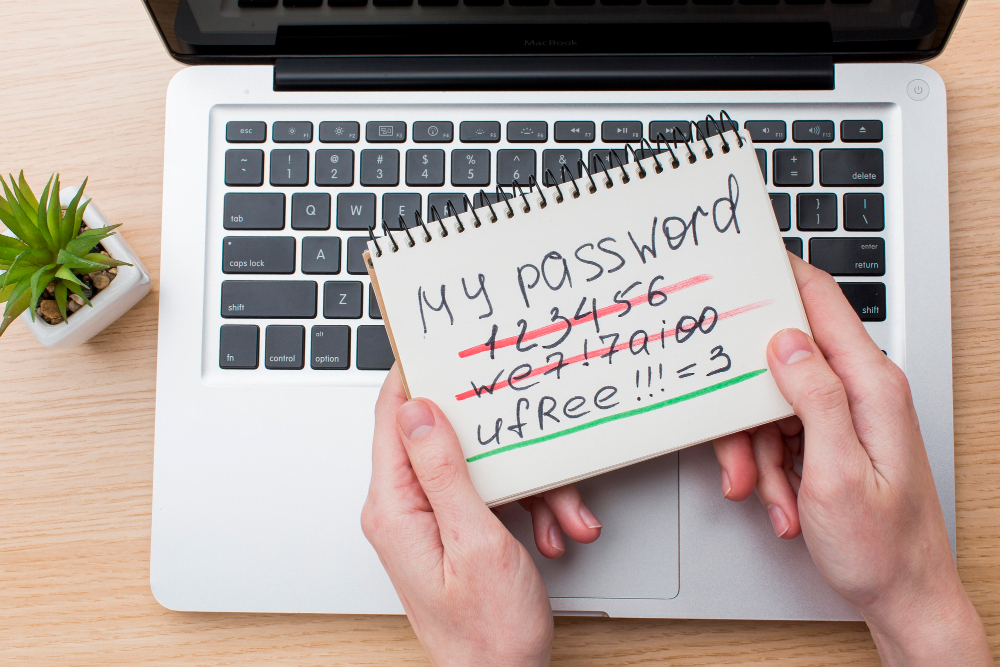
Passwords are still the foundation of most online security despite decades of attempts to replace them. Every account, every login, every protected resource depends on a password being secret and strong. The whole system breaks down if the password is weak or known.
Most people know they should use strong passwords. Most people do not actually use strong passwords. The gap between knowledge and practice is where many security breaches happen.
This piece covers what makes a password actually strong, why common password practices fail, how to create and manage passwords that work, and the tools that make this manageable across the dozens of accounts a typical person has.
Why Password Strength Matters
The case for strong passwords is concrete.
Weak Passwords Get Cracked
Modern attackers do not guess passwords one at a time. They try millions of combinations per second using automated tools and powerful hardware.
A password like “password123” gets cracked in milliseconds. A password like “qwerty” cracks just as fast. A password that is a word in any language with a few numbers attached cracks in minutes.
Common Passwords Are in Databases
When sites get breached, the leaked passwords get added to databases that attackers use. “Password123” appears in those databases millions of times because so many people use it.
Even passwords that seem unique are often in these databases if they follow common patterns.
Personal Information Is Guessable
Passwords based on personal information (your birthday, your pet’s name, your favorite team) are guessable. The information is often available on social media, in public records, or through social engineering.
The attacker who knows you can guess passwords based on what you care about.
Reused Passwords Multiply Risk
Using the same password on multiple sites means a breach at any of them compromises all of them. Attackers test stolen passwords against many sites, expecting reuse.
Even strong passwords lose their strength when reused.
What Makes a Password Actually Strong
The math of password strength is well-understood.
Length Matters Most
Long passwords are dramatically harder to crack than short ones. Each additional character multiplies the difficulty.
Eight character passwords are weak by modern standards regardless of complexity. Twelve characters is the practical minimum. Sixteen or more characters is genuinely strong.
Randomness Matters
Random characters are harder to crack than recognizable patterns. A 16-character random string is much stronger than a 16-character phrase from a book.
Truly random passwords look like gibberish. That is the point.
Character Variety Helps
Mixing uppercase letters, lowercase letters, numbers, and special characters expands the possible combinations. Each character category multiplies the difficulty.
The minimum bar is including all four categories.
Uniqueness Across Sites
Even the strongest password is weak if it gets used everywhere. When one site gets breached, the password leaks. Every other site using the same password becomes vulnerable.
Each site needs its own unique password.
Avoid Patterns
Common patterns get tried by cracking tools. Substituting “3” for “e” or “@” for “a” does not help. The tools know about these substitutions.
Sequential characters (1234, abcd) are particularly weak.
Why “Strong” Passwords Often Fail
People often think they have strong passwords when they do not.
The Capital Letter + Number + Symbol Pattern
Sites that require “one uppercase, one number, one symbol” often produce predictable patterns. “Password1!” technically meets the requirements but is among the most common passwords in existence.
Word + Year
“Companyname2024” or “Citname2024” meets typical complexity requirements but appears in cracking dictionaries.
Pet Names With Numbers
“Fluffy123” is weak even though it has the right character types. Personal information patterns are guessable.
Phrases From Memorable Sources
“ToBeOrNotToBe” is long but uses recognizable text. Cracking tools include literature in their dictionaries.
Slight Variations
If you have a strong password and you reuse it with minor changes for different sites (“MyPass1!” for one site, “MyPass2!” for another), the variations get cracked as soon as one is known.
How to Create Strong Passwords
Several approaches produce genuinely strong passwords.
Use a Password Generator
The simplest and most reliable approach. Password managers include generators that produce random strong passwords.
Set the length to 16 or more characters. Enable all character types. Generate. Use the result. Do not try to remember it (you cannot, but that is fine because the password manager remembers for you).
Passphrase Method
Memorable passwords need to be long enough to compensate for being less random.
Pick four or five random words from a large dictionary. “Salmon trumpet jacket lavender.” The result is reasonably memorable but very long (the example is 28 characters).
The Diceware method uses dice rolls to randomly select words from a list. This produces genuinely random passphrases.
The trade-off with passphrases is that they are longer but easier to remember than random character strings.
Avoid Doing It Yourself
Human-created passwords almost always have patterns. The patterns are guessable. Use a generator instead of relying on your own creativity.
This advice is consistent across security experts.
Why Password Managers Are Essential
The math of passwords requires tools to manage them.
The Problem Password Managers Solve
Modern people have dozens of accounts. Many have hundreds. Each one needs a unique strong password. Nobody can remember hundreds of strong unique passwords.
Without help, people either reuse passwords or use weak passwords. Both are insecure.
What Password Managers Do
A password manager stores all your passwords encrypted. You need one master password to access the manager. The manager handles everything else.
When you visit a site, the manager fills in your password automatically. You do not need to remember or type the actual password.
When you create accounts, the manager generates strong unique passwords automatically.
Popular Password Managers
Several password managers compete in the market:
1Password is feature-rich with strong privacy practices. Subscription-based.
Bitwarden is open source with a generous free tier. Paid plans add features.
LastPass is widely used. Free tier limited after recent changes. Has had security incidents.
Dashlane is feature-rich with subscription pricing.
Apple’s iCloud Keychain works well for users in the Apple ecosystem.
Google Password Manager works for users in the Google ecosystem.
For most users, picking one and using it consistently is more important than which one you pick. Bitwarden is the most accessible if cost is a concern.
How to Set Up a Password Manager
The setup is straightforward.
Install the password manager on all your devices.
Create a strong master password (this is the one password you need to remember).
Enable two-factor authentication on the password manager itself.
Start saving passwords as you log into sites. Replace weak passwords with generated ones.
Over a few weeks, your entire password collection gets updated.
The Master Password
The master password is the only one you need to remember. It needs to be strong but memorable.
Passphrases work well here. Five random words. Long enough to be strong, memorable enough to recall.
Write the master password down in a safe physical location as backup. Losing access to the password manager loses everything if you forget the master password.
Multi-Factor Authentication
Strong passwords plus 2FA is much stronger than either alone.
Why 2FA Matters Beyond Passwords
Even strong passwords can be compromised. Phishing attacks can capture them. Keyloggers can record them. Database breaches can expose them.
Two-factor authentication adds a second layer. Even if the password is known, the attacker needs the second factor.
Types of 2FA
Authenticator apps (Google Authenticator, Authy, 1Password’s built-in 2FA) generate time-based codes. The codes work for 30 seconds. The codes get generated on your device, not sent over the internet.
SMS codes get sent to your phone. Less secure than apps because SMS can be intercepted, but better than no 2FA.
Hardware keys (YubiKey, others) are physical devices that authenticate when plugged in or tapped. The most secure option but require carrying the device.
Biometrics (fingerprint, face recognition) work on devices that support them.
Where to Enable 2FA
Enable 2FA on accounts that matter:
Email accounts (because email controls password resets for everything else).
Password manager.
Banking and financial services.
Social media accounts.
Business accounts and SaaS tools.
Anything containing sensitive data.
Sites that do not offer 2FA are less secure than those that do.
Common Password Mistakes
People stumble in predictable ways.
Reusing Passwords
Using the same password on multiple sites. When one site gets breached, all the others become vulnerable.
Writing Passwords on Sticky Notes
Storing passwords on visible notes near the computer. Physical security matters too.
Sharing Passwords
Sending passwords through unencrypted email or chat. The passwords get stored in those services. They can be searched, archived, or leaked.
If passwords need to be shared, use the password manager’s sharing feature.
Not Updating After Breaches
When a site gets breached, the password used there should be changed everywhere it was used. Many people do not do this.
Trusting Browser Password Save
Browser-saved passwords are convenient but offer less security than dedicated password managers. They are also tied to specific browsers.
Skipping 2FA
The most common security failure. Strong passwords without 2FA still leave you vulnerable. The combination is much stronger.
Closing Thoughts on Login Credentials
Strong passwords are the foundation of personal and business security. Without them, every other security measure is built on sand.
For most people, the right approach is straightforward. Use a password manager. Let it generate strong unique passwords for every site. Enable 2FA on important accounts. Use a strong master password for the password manager itself.
The setup takes a few hours. Updating all your existing accounts to use generated passwords takes a few weeks of doing it as you log in to sites. After that, the system runs in the background.
The protection is real. Generated passwords are unguessable. Unique passwords mean breaches stay contained. 2FA blocks attacks even when passwords are compromised.
For sites that have access to your money, your data, your business, or your reputation, the strongest available authentication matters. Weak passwords on important accounts are gambles you might not realize you are making.
If you have been using weak or reused passwords, today is a good day to fix it. Pick a password manager. Set it up. Start the migration. The work is bounded. The protection compounds for years. Strong unique passwords with 2FA on important accounts are how modern people stay secure online. The alternative (relying on memory and hoping for the best) eventually fails. Pick the system that works and use it consistently. The peace of mind that comes from knowing your accounts are actually protected is worth the modest setup work.