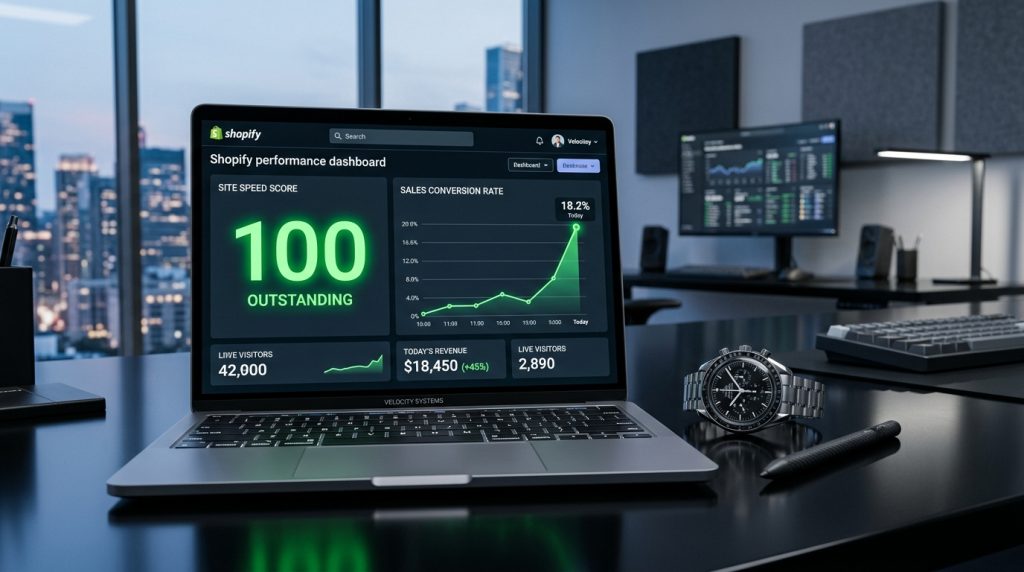
Shopify store speed affects everything. Conversion rates. Search rankings. Bounce rates. Customer perception. Every second of load time costs sales.
Amazon found that every 100 milliseconds of extra load time costs them 1% in sales. Google’s research shows that as page load time goes from 1 second to 3 seconds, bounce rate increases by 32%. From 1 to 5 seconds, bounce rate increases by 90%.
The good news is that Shopify performance is largely under your control. The techniques that produce faster stores are known. The tools are available. Stores that optimize outperform stores that ignore performance.
This piece covers what affects Shopify store speed, what you can do about it, and how to keep your store fast as it grows.
Why Speed Matters for E-commerce
The stakes are concrete.
Conversion Impact
Faster sites convert better. The relationship is direct and significant.
SEO Impact
Google uses page speed as a ranking factor. Slow sites rank worse than fast sites for the same content quality.
Bounce Rate Impact
Visitors leave slow sites before they even see the content. The traffic never gets a chance to convert.
Customer Perception
Fast sites feel professional. Slow sites feel amateur. This affects trust and willingness to buy.
Mobile Impact
Mobile connections are often slower than desktop. Speed matters more on mobile where load times can be longer.
Repeat Customer Impact
Frustrated customers do not come back. Fast sites keep customers coming back.
How to Measure Shopify Speed
Before optimization, benchmark.
Shopify’s Own Speed Report
Under Analytics, Shopify provides a speed report. Shows how your store performs relative to similar stores.
Google PageSpeed Insights
Free tool from Google that analyzes page speed and provides recommendations. Both mobile and desktop scores.
GTmetrix
Free speed testing tool with detailed reports. Waterfall charts show what loads when.
WebPageTest
More technical speed testing. Detailed information about page load process.
Real User Monitoring
Some analytics tools track how real visitors experience your site speed. This shows actual customer experience, not just synthetic tests.
What to Watch
Page load time. Time to first byte. Largest contentful paint. Cumulative layout shift. First input delay. Each measures a different aspect of user experience.
What Affects Shopify Speed
Multiple factors.
Theme
Some themes are inherently fast. Others are slow. Theme choice is one of the biggest factors in Shopify speed.
Apps
Every installed app adds code that runs on your store. Some apps add significant load. Many apps compound the impact.
Images
Large, unoptimized images are the biggest asset on most pages. Unoptimized images can be 10x larger than necessary.
Fonts
Custom fonts, especially many custom fonts, slow down pages. Each font is a separate download.
Third-Party Scripts
Analytics scripts, marketing pixels, chat widgets, and other third-party tools each add requests and delays.
Custom Code
Modifications to theme code can create performance issues if not done carefully.
Speed Optimization Techniques
Specific things you can do.
Choose a Fast Theme
Themes vary dramatically in performance. Fast themes include Dawn (Shopify’s reference theme), Turbo, Empire, and others focused on speed.
Slow themes hurt performance regardless of other optimizations. Consider theme switch if your current theme is inherently slow.
Audit Your Apps
Remove apps you do not actually use. Every app adds load.
For apps you keep, look for lighter alternatives when available.
Optimize Images
Image optimization provides significant speed improvements.
Compress all images. Use modern formats (WebP where supported). Serve appropriately sized images for different devices. Enable lazy loading so images below the fold load when scrolled to.
Image optimization apps like TinyIMG, Crush.pics, and others handle this automatically.
Optimize Fonts
Use fewer custom fonts. Two font families is usually enough (one for headings, one for body).
Use font-display: swap so text appears with a fallback while custom fonts load.
Preload critical fonts to speed up their availability.
Audit Third-Party Scripts
Every third-party script slows down your site. Audit what is installed.
Remove scripts for services you no longer use. Configure scripts to load asynchronously where possible. Delay non-essential scripts until after the page loads.
Enable Browser Caching
Shopify handles browser caching automatically. Verify it is working correctly.
Use a CDN
Shopify includes CDN for asset delivery. This is automatic. But CDN performance can be enhanced through additional services in some cases.
Minify Code
Shopify minifies CSS and JavaScript automatically. Custom code should follow the same discipline.
Reduce HTTP Requests
Each file loaded requires a request. Fewer requests mean faster loading.
Combining files where possible. Removing unused CSS and JavaScript. Simplifying page structure.
Image Optimization Best Practices
Deeper look at the biggest opportunity.
Choose the Right Format
JPEG for photos with many colors. PNG for images with transparency. WebP where supported (widely supported now). SVG for logos and simple graphics.
Right Sizing
Do not serve larger images than needed. A 4000-pixel image shown at 400 pixels wastes bandwidth. Serve images sized appropriately for their display.
Compression
Compress images without visible quality loss. 60-80% quality is usually indistinguishable from 100% but is much smaller.
Lazy Loading
Images below the fold do not need to load immediately. Lazy loading delays them until they are about to be visible.
Responsive Images
Serve different image sizes to different devices. Mobile devices do not need desktop-sized images.
Image Optimization Apps
TinyIMG, Crush.pics, Bulk Image Compressor, and similar apps automate image optimization.
For serious optimization, verify apps are working correctly. Some apps advertise more than they deliver.
Theme-Level Optimization
Deeper theme work.
Preload Critical Resources
Fonts, hero images, and critical CSS can be preloaded to appear faster.
Defer Non-Critical JavaScript
Scripts that do not affect initial page rendering can load after the page appears.
Remove Unused Theme Features
Some themes include features you do not use. Removing them removes their overhead.
Simplify Homepage
Complex homepages with many sections load slowly. Consider whether every section is necessary.
Managing App Performance Impact
Apps require ongoing attention.
Quarterly App Audit
Every few months, review installed apps. Are they still needed? Are they still worth their performance cost?
Remove apps that are no longer essential.
Check App Performance
Some apps significantly slow stores. Test performance before and after installing new apps.
Storefront vs Admin Apps
Apps that only affect the admin do not slow down customer-facing pages. Apps that add features to the storefront do.
Distinguish between these when evaluating impact.
Load Only Where Needed
Some apps can be configured to load only on specific pages. If a review widget is only needed on product pages, do not load it on every page.
Advanced Optimization
For stores that need more.
Custom Development
For serious performance work, custom development can produce significant improvements beyond what standard techniques provide.
Server-Side Rendering
Modern web performance techniques that render pages faster.
Progressive Web App Features
Making the store behave like a mobile app for repeat visitors. Faster subsequent visits.
Edge Computing
Delivering personalized content from edge locations rather than central servers.
Most of these require developer involvement and only make sense for larger stores.
Common Speed Optimization Mistakes
Store owners stumble in predictable ways.
Ignoring Speed Until It Is a Problem
Not thinking about speed until conversions clearly suffer. By then, significant traffic has been lost.
Trying to Do Everything at Once
Making many changes without testing. Cannot tell what worked and what did not.
Ignoring Mobile Performance
Optimizing for desktop when most traffic is mobile. Speed matters more on mobile.
Installing Speed Apps That Are Themselves Slow
Some apps promise speed improvements but actually add overhead. Test carefully.
Not Measuring
Making changes without measuring impact. Cannot know if things are actually improving.
Chasing PageSpeed Scores
Focusing on synthetic scores rather than real user experience. Sometimes scores improve while user experience does not.
Removing Important Features
Cutting features that customers actually value in pursuit of speed. Balance matters.
Not Considering Long Term
Making changes that improve speed short term but create problems long term.
Ongoing Performance Management
Speed is not one-time work.
Regular Speed Checks
Monthly or quarterly speed tests. Catches performance drift before it becomes serious.
After Adding Apps
Check performance after installing any new app. Some apps have surprising impact.
After Theme Updates
Theme updates sometimes affect performance. Verify after updating.
After Adding Content
Homepage or other page updates can affect performance. Test after major content changes.
Compare to Competitors
Periodically check how your speed compares to competitors. Being faster is an advantage.
When to Get Help
Some situations need expertise.
Persistent Slow Performance
If your store stays slow after standard optimization, expert help can identify deeper issues.
Complex Custom Requirements
Custom development for performance optimization requires expertise.
Migration to Faster Theme
Theme migrations can be complex. Professional help ensures nothing breaks.
Enterprise Optimization
For large stores where marginal performance gains matter, specialized performance consultants can help.
Bringing the Speed Optimization Picture Together
Shopify speed matters more than most store owners realize. Every second of load time costs sales. Every performance improvement produces measurable results in conversions, SEO, and customer experience.
For most stores, the fundamental optimizations produce the biggest gains. Fast theme. Optimized images. Lean app list. Efficient fonts. Sensible third-party scripts. These fundamentals matter more than advanced techniques.
For stores without deliberate performance work, the potential improvement is often dramatic. Stores taking 5+ seconds to load can often reach 1-2 seconds with proper optimization.
For stores that have been optimized but could use additional improvements, the marginal gains from advanced techniques add up. Every hundred milliseconds matter.
Performance work compounds. Fast stores rank better in search. Better rankings bring more traffic. Traffic on fast stores converts better than traffic on slow stores. The compound effect over months and years is significant.
Stores that treat performance as ongoing concern rather than a one-time project stay fast. Stores that optimize once and forget about it eventually slow down as apps accumulate and content grows.
The discipline of regular performance work keeps stores in the fast category rather than gradually joining the slow one. Monthly checks. Quarterly app audits. Reviews after major changes.
For most Shopify stores, the speed opportunity is significant. Fewer stores optimize seriously than should. Taking the time to make your store fast provides advantages that many competitors do not have.
Take speed seriously. Apply the fundamental optimizations. Measure the results. Keep improving over time. Your Shopify store becomes a fast experience for visitors and a strong performer in search results. The customers benefit through better experience. The business benefits through better conversions and rankings. The investment in performance pays back through every visit to your store, every search result, every customer interaction. Speed is one of those things that separates well-run stores from struggling ones. Choose to be in the fast category.