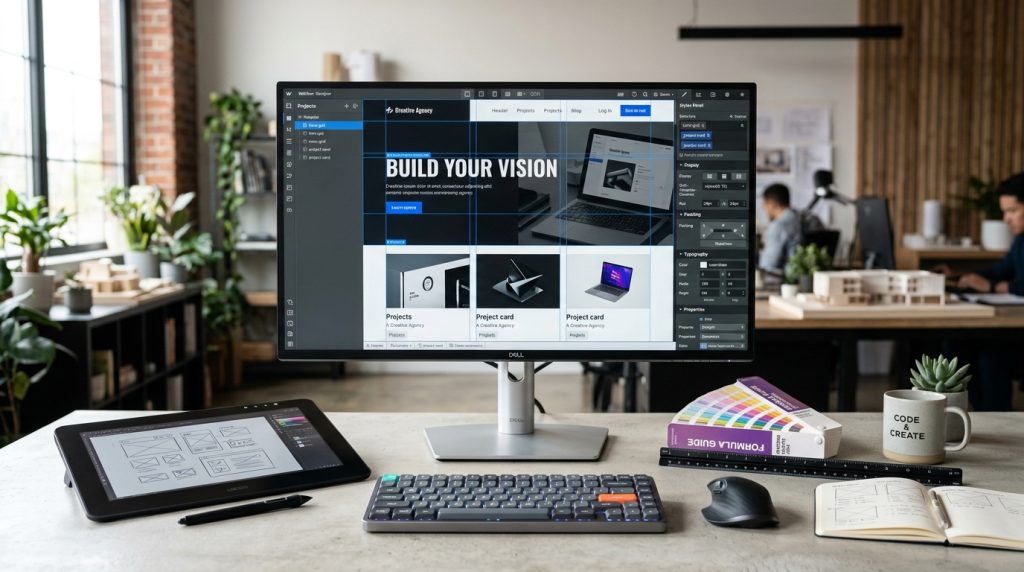
Webflow is a website building platform that occupies interesting territory in the market. It offers the design freedom of custom development with the accessibility of a visual builder. Designers can create sites without writing code, but the sites they create are more customizable than what traditional website builders produce.
The platform has attracted a devoted following among designers and creative agencies. It has also confused people trying to figure out where it fits. Is it a WordPress alternative? A Squarespace competitor? A design tool with hosting? All of the above in some ways.
This piece covers what Webflow actually is, how it works, and who it fits best.
What Webflow Actually Is
The platform explained.
Visual Website Builder
Webflow lets you build websites through a visual interface. Drag elements. Style them. Position them. No code required to create designs.
Real Web Technologies Underneath
Unlike some builders that create black-box output, Webflow generates real HTML, CSS, and JavaScript. What you see visually corresponds to what gets built technically.
Hosted Platform
Webflow hosts your sites. You do not need separate hosting. The infrastructure is included with paid plans.
CMS Capabilities
Beyond static websites, Webflow includes CMS features for dynamic content. Blogs, portfolios, product catalogs, and other structured content.
E-commerce Features
Webflow includes e-commerce capabilities for online stores. Products, carts, checkout, payment processing.
How Webflow Works
The basic model.
The Designer
The main interface. Visual builder where you construct pages. Elements panel. Styles panel. Layout controls. Everything for building pages.
Elements & Styles
Add elements to pages. Style them with CSS-like controls. Design changes happen visually and get reflected in real code underneath.
Interactions & Animations
Beyond static design, Webflow includes tools for animations and interactive elements. Scroll effects, hover animations, complex transitions.
CMS Collections
For dynamic content, create collections (like database tables). Blog posts, portfolio items, team members. Templates display collection items.
Publishing
Publish sites to your Webflow subdomain (yoursite.webflow.io) initially. Custom domains for production sites.
Who Webflow Targets
The intended user base.
Designers
Webflow’s original target. Designers who wanted to build sites without hiring developers or being limited by template constraints.
The platform speaks the language of designers. CSS-like styling. Attention to detail. Design freedom.
Freelancers & Agencies
Building client sites without needing full development teams. Webflow provides the tools to design and deliver sites independently.
Small Businesses
Businesses that want more design flexibility than typical builders provide. Ability to customize without hitting template limits.
Content Creators
Creators who need CMS features but want more design control than platforms like Medium provide.
Not Great For
Non-designers who want simple template-based sites. Squarespace or Wix fit better.
Complex custom applications. Traditional development fits better.
Content-focused sites with large publishing needs. WordPress often fits better.
Webflow Plans
Different tiers for different needs.
Free Plan
Limited but functional. Two projects allowed. Webflow subdomains only. No custom domain. Good for learning and prototyping.
Site Plans
For individual sites. Basic, CMS, Business, and Enterprise tiers.
Basic starts around $18 per month. CMS around $29. Business around $49. Prices vary.
Each tier adds capabilities and higher content limits.
Workspace Plans
For agencies or teams building multiple sites. Starter, Freelancer, Agency tiers.
Enables managing multiple client sites from one workspace.
E-commerce Plans
Additional cost for e-commerce features. Standard, Plus, Advanced tiers.
Standard starts around $29 per month on top of the site plan.
Pricing Complexity
Webflow’s pricing structure is confusing. Understand what you actually need before choosing.
Learning Webflow
The learning curve.
The Reality
Webflow has a steeper learning curve than Squarespace or Wix. It expects familiarity with web design concepts.
Non-designers may struggle. Designers pick it up faster.
Webflow University
Webflow’s official learning resource. Free courses, tutorials, and documentation. High quality.
Community Resources
Active community of Webflow users. YouTube tutorials, Discord servers, agency blogs. Many resources available.
Time to Proficiency
For designers familiar with HTML and CSS concepts, becoming productive takes weeks. For pure beginners, months.
Learning Path
Start with tutorials. Rebuild existing designs. Try Webflow’s Cloneable projects (templates you can modify). Build small projects. Increase complexity gradually.
Building With Webflow
The workflow.
Start With Design
Webflow rewards designing before building. Sketch or design in Figma first. Then implement in Webflow.
Understanding Box Model
Webflow uses CSS box model. Understanding this concept helps significantly.
Class System
Webflow uses classes for styling. Similar to CSS. Managing classes well is essential for scalable projects.
Responsive Design
Design for desktop first, then adjust for tablet and mobile. Or start mobile-first. Either approach requires attention to how designs adapt.
Symbols
Reusable components. Headers, footers, and other repeated elements. Change once, updates everywhere.
CMS Templates
For dynamic content, create templates that display collection items. Product pages, blog posts, portfolio items.
Webflow’s CMS
Managing dynamic content.
Collections
Like database tables. Blog posts, portfolio items, team members. Each collection has fields for the data types.
Reference Fields
Collections can reference each other. Blog posts can reference authors. Products can reference categories.
Templates
Templates display collection items. One template shows all blog posts, each rendered with the specific post’s data.
Content Editor
The editor interface for adding and managing collection content. Similar to CMS interfaces you know from WordPress or others.
Collections vs Static Pages
Static pages are individual pages you design specifically. Collection items are dynamic content following templates.
Webflow E-commerce
Selling on Webflow.
Product Management
Add products with images, descriptions, prices, variants, and inventory tracking.
Cart & Checkout
Standard e-commerce flow. Cart, checkout, payment. Design is customizable.
Payment Processing
Stripe and PayPal integration. Standard processing fees.
Order Management
View and manage orders. Update fulfillment status. Send order emails.
Compared to Shopify
More design freedom than Shopify. Fewer e-commerce features. Smaller app ecosystem.
For design-focused stores, Webflow works. For serious e-commerce operations, Shopify usually fits better.
Webflow Pros & Cons
The trade-offs.
Pros
Design freedom. Real code output. Strong CMS. Good animations and interactions. Fast performance out of the box. Growing ecosystem.
Cons
Steep learning curve. Complex pricing. Smaller ecosystem than WordPress or Shopify. Vendor lock-in. Not ideal for content-heavy sites.
Alternatives to Consider
Similar tools worth knowing about.
Framer
Newer design tool with similar visual building. Growing quickly.
Squarespace
Easier for non-designers. Less design flexibility. Better for simple sites.
Wix
Similar to Squarespace but with more features. Also easier than Webflow.
Custom Development
For maximum flexibility and no platform limits. Higher cost and complexity.
WordPress
For content-focused sites. Cheaper for growing sites. Larger ecosystem. Different technical approach.
When Webflow Fits
Situations that suit the platform.
Design-Focused Sites
Sites where distinctive design matters. Marketing sites for agencies, creative businesses, or brands with strong visual identity.
Small to Medium Business Sites
Business websites where design flexibility matters more than large content operations.
Portfolio Sites
Designer portfolios. Photographer portfolios. Creative professional showcases.
Landing Pages
Custom landing pages for marketing campaigns. Webflow makes this efficient.
Small Business E-commerce
Design-focused stores with modest catalogs. Not high-volume e-commerce.
When Webflow Does Not Fit
Situations that suit other platforms.
Non-Designer Users
If nobody on your team can design, Webflow’s freedom becomes a liability. Template-based platforms fit better.
Content-Heavy Publishing
Sites with many contributors publishing frequently. WordPress or dedicated CMS platforms fit better.
Complex E-commerce Operations
Large product catalogs, complex fulfillment, sophisticated marketing needs. Shopify fits better.
Very Small Budgets
WordPress on inexpensive hosting can be cheaper for cost-conscious situations.
Custom Applications
Custom functionality beyond content and simple e-commerce. Traditional development fits better.
Wrapping Up the Webflow Overview
Webflow occupies interesting territory in the website building market. More design freedom than typical builders. More accessibility than traditional development. It fits specific situations well but is not right for everyone.
For designers and design-focused businesses, Webflow provides tools that match how they think about websites. Design freedom without needing developers. Direct control over how sites look and behave.
For non-designers, the learning curve is significant. What Webflow offers may not justify the learning investment for simpler needs.
For agencies building client sites, Webflow provides significant advantages. Deliver custom-looking sites efficiently. Manage multiple clients through workspace features.
For small businesses evaluating platforms, consider what matters most. Design flexibility argues for Webflow. Content management argues for WordPress. E-commerce focus argues for Shopify. Ease of use argues for Squarespace.
For growing businesses on Webflow, the platform scales reasonably well. Enterprise plans handle larger operations. E-commerce grows to moderate sizes.
For businesses that outgrow Webflow, migration is possible but not effortless. Design freedom becomes migration complexity.
The Webflow community is passionate about the platform. Great resources are available. Support and learning materials are strong. If you commit to Webflow, you can become productive.
For businesses trying to decide, consider a small project. Build a simple site. See how the workflow feels. Compare to other options. The trial reveals fit better than reading about the platform.
Webflow is not the right answer for every situation. But for the situations it fits, it fits well. Design-focused sites with modest operational complexity often find Webflow ideal. The design freedom combined with real hosting and CMS features produces sites that would be difficult to build otherwise without traditional development.
For agencies, designers, and design-focused businesses, Webflow deserves serious consideration. Learn it. See if it fits your work. The investment in learning pays back through the sites you can then build with less friction and more control than other platforms would allow.