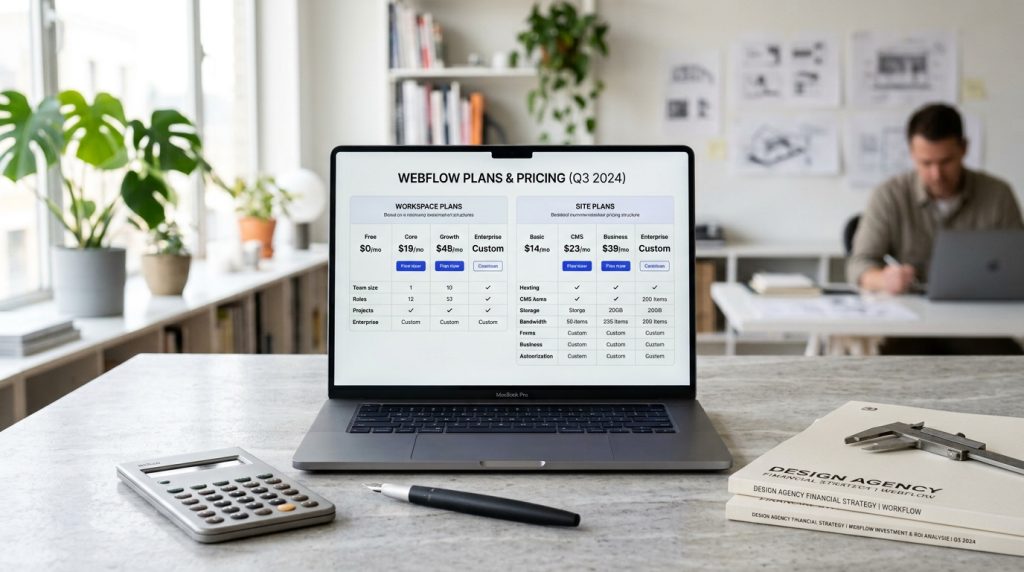
Webflow’s pricing structure is notoriously confusing. Multiple plan types. Different levels within each. Add-ons for e-commerce. Workspace plans for teams. Understanding what you actually need and what you will actually pay requires some effort.
The good news is that once you understand the structure, choosing the right plan is manageable. The bad news is that new users often make mistakes that cost them money or leave them without needed capabilities.
This piece breaks down Webflow’s pricing so you can make informed decisions about which plans fit your specific situation.
The Two Main Plan Types
Webflow has two separate pricing systems.
Site Plans
For individual websites. Attached to specific sites. Determine what capabilities each site has.
Workspace Plans
For your account and team. Determine how many people can work in your account and how many sites you can have.
You typically need both. A site plan for each site you launch publicly, and a workspace plan for your account.
Why Two Systems
The separation lets you have multiple workspaces at different tiers, and multiple sites within a workspace at different tiers. Flexibility for different situations.
The downside is complexity when trying to understand what you actually need.
Site Plans Explained
For each website you launch.
Free Site Plan
Two projects allowed. Only Webflow subdomains (yoursite.webflow.io). Cannot use custom domains.
Good for learning, prototyping, or portfolio pieces. Not suitable for real business sites.
Basic Site Plan
Around $18 per month billed annually, more billed monthly. For simple sites.
Custom domain. Limited monthly form submissions. No CMS. Suitable for small marketing sites without dynamic content.
CMS Site Plan
Around $29 per month billed annually. The most common plan.
Adds CMS functionality. Blogs, portfolios, dynamic content. Suitable for most business sites.
Business Site Plan
Around $49 per month billed annually. For higher-traffic sites.
Higher bandwidth limits. More CMS items. Better for sites with significant traffic.
Enterprise Site Plans
Custom pricing for large operations. Contact Webflow.
E-commerce Site Plans
Additional cost for online stores.
Standard E-commerce Plan
Around $29 per month on top of your site plan. Includes basic e-commerce features.
For small stores getting started.
Plus E-commerce Plan
Around $74 per month on top. More products, more features.
For growing stores.
Advanced E-commerce Plan
Around $212 per month on top. High volume, advanced features.
For serious e-commerce operations.
What E-commerce Adds
Product management. Cart and checkout. Payment processing integration. Order management. Basic e-commerce reports.
Higher tiers add more products, more features, and lower transaction limits.
Workspace Plans
For your account level.
Free Workspace
Two projects. Cannot use custom domains on projects. Cannot invite others.
For learning and prototyping only.
Starter Workspace
For freelancers just starting. Small number of projects. Limited team.
Freelancer Workspace
Around $16 per month. More projects. Small team.
For freelancers building for multiple clients.
Agency Workspace
Higher tier for agencies. More projects and team members. Advanced features.
Enterprise Workspace
Custom pricing for large teams.
Combining Plans
How they work together.
Free Site + Free Workspace
Everything free but very limited. Learning only.
Basic Site + Freelancer Workspace
Simple client sites without CMS. Rare combination as most sites need CMS.
CMS Site + Freelancer Workspace
Most common combination for small operations. Site plan for the specific site, workspace plan for your account.
E-commerce Site + Workspace
For selling online. Site plan plus e-commerce add-on plus workspace plan.
The Cost Adds Up
A simple CMS site can cost around $30 per month total (site plan + workspace plan).
An e-commerce site can cost $60-$100+ per month.
Multiple sites add proportionally.
What You Actually Pay
Realistic totals.
Portfolio or Small Business Site
CMS site plan: around $29 per month.
Workspace plan: around $16 per month.
Total: around $45 per month.
Plus domain (external): around $15 per year.
Small E-commerce Store
Site plan: around $29 per month.
E-commerce Standard: around $29 per month.
Workspace plan: around $16 per month.
Total: around $75 per month.
Plus payment processing fees (standard Stripe rates).
Agency With Multiple Client Sites
Individual site plans: $29 per site for CMS plans.
Workspace plan: $30-$50+ per month for agency plan.
Ten clients: $290 for site plans + $50 workspace = around $340 per month.
Costs scale with number of sites.
Serious Business Site
Business site plan: around $49 per month.
Workspace plan: around $30 per month.
Total: around $80 per month.
Higher-traffic sites justify higher-tier plans.
What Is Included in Each Site Plan
Specific limits matter.
Bandwidth Limits
Each plan has monthly bandwidth limits. Basic: 50GB. CMS: 200GB. Business: 400GB.
Exceeding limits requires upgrading or paying overage.
For most sites, these limits are more than enough. Very high-traffic sites need to consider limits carefully.
CMS Item Limits
CMS Site Plan: 2,000 CMS items. Business Plan: 10,000. Higher plans allow more.
For most sites, 2,000 items covers years of content. High-volume publishers may hit limits.
Form Submissions
Each plan has monthly form submission limits. Basic: 50. CMS: 1,000. Business: 2,500.
For sites with high form submission volume, plans need to be sized appropriately.
Site Search
Available on higher plans. Not on Basic.
Backup Retention
Various plans have different backup retention periods. Higher plans keep backups longer.
What Is Included in E-commerce Plans
For online stores specifically.
Transaction Fees
Standard: 2% Webflow transaction fee.
Plus: 0%.
Advanced: 0%.
Enterprise: 0%.
The Standard plan’s 2% adds up. Businesses doing meaningful volume often justify upgrading to eliminate this.
Product Limits
Standard: 500 products.
Plus: 5,000 products.
Advanced: 15,000 products.
For most small to medium stores, 500 products is enough.
Staff Accounts
Different tiers allow different numbers of staff accounts.
Advanced Features
Higher tiers add features like faster support and more advanced e-commerce capabilities.
The Annual Billing Consideration
Save with annual billing.
Monthly vs Annual
Annual billing typically saves 15-25% compared to monthly billing.
For established sites you plan to keep running, annual makes sense.
For experimental projects or short-term needs, monthly provides flexibility.
Commitment Consideration
Annual billing locks in the annual commitment. Cannot easily downgrade mid-year.
Choose plans that will fit your needs for the full year.
Common Pricing Mistakes
Users stumble in predictable ways.
Choosing Basic When You Need CMS
Starting with Basic site plan then discovering you need CMS features. Have to upgrade.
Better to start with CMS if there is any chance you will need dynamic content.
Not Understanding E-commerce Add-On
Some users think e-commerce is included in higher site plans. It is not. E-commerce is a separate add-on.
Ignoring Workspace Requirements
Focusing on site plans while ignoring workspace needs. Then discovering additional cost.
Underestimating Traffic Growth
Choosing plans based on current traffic without considering growth. Then hitting bandwidth limits.
Overestimating Traffic
Choosing higher plans than needed based on optimism. Paying for capacity you do not use.
Watch actual traffic. Adjust plans if needed.
Not Using Annual Billing
Paying monthly when annual would save meaningful money over time.
For sites you will keep running, annual billing pays off.
Site Plans Beyond Base Costs
Additional considerations.
Custom Domain
Domain registration is separate. $10-$20 per year through Google Domains, Namecheap, or others.
Point the domain to Webflow after purchase.
Email Hosting
Webflow does not provide email hosting. You need separate email service (Google Workspace, Zoho, others).
Email hosting adds $6-$15+ per month typically.
SSL Certificates
Included with paid plans. No additional cost.
CDN
Included. Global content delivery.
Backups
Included. Retention varies by plan.
Comparing to Alternatives
Context for the pricing.
Versus WordPress
WordPress software: free. Hosting: $10-$200+ per month. Themes: $50-$100 one-time. Plugins: various.
For very small sites, WordPress can be cheaper. For most business sites, comparable.
Versus Squarespace
Squarespace plans: $23-$65+ per month. Simpler but less design flexibility.
Comparable pricing but different capabilities.
Versus Shopify
For e-commerce comparison, Shopify basic $29+ per month plus transaction fees plus apps.
Roughly comparable costs but different capabilities.
When Webflow Pricing Makes Sense
Situations that justify the cost.
Design-Focused Business Sites
For business sites where design flexibility matters, Webflow’s pricing is reasonable for what it provides.
Agency Client Work
Agencies build client sites efficiently. Client sites justify their own costs.
Portfolio Sites
Designers and creatives need portfolios. Webflow provides the design freedom to build distinctive portfolios.
Custom Marketing Sites
Marketing sites that need distinctive design without full custom development.
When Webflow Pricing Is Too High
Situations that suggest alternatives.
Very Small Blogs
For simple blogs without design complexity, WordPress on cheap hosting is more cost-effective.
High-Content Publishing
Publications with extensive content operations may find WordPress more suitable for the cost.
High-Volume E-commerce
Very high-volume stores may find Shopify or dedicated e-commerce solutions more cost-effective.
Static Simple Sites
For very simple static sites, cheaper hosting options can work.
Closing Thoughts on the Cost Structure
Webflow’s pricing structure is complex but manageable once you understand it. The key is figuring out what you actually need before committing to plans.
For most business sites needing dynamic content, the CMS site plan plus a workspace plan runs around $45 per month. This is the baseline for most Webflow projects.
For e-commerce, add the standard e-commerce plan for around $75 total monthly.
For agencies with multiple client sites, costs scale but so does capability. The workspace plans handle the multi-site situation.
The pricing is neither cheap nor expensive relative to alternatives. It fits the market for design-focused website platforms. Comparable to Squarespace but with more design flexibility. More than basic WordPress but with less technical overhead.
For businesses considering Webflow, budget for the full costs, not just the advertised base plans. Add-ons and workspace plans push the actual costs higher than initial impressions suggest.
For businesses currently on Webflow that could benefit from plan changes, review your usage. Are you hitting limits? Are you paying for more than you use? Adjustments can save money or unlock needed capabilities.
For new sites, choose plans based on realistic near-term needs. Do not choose the highest plan speculatively. Do not choose the lowest plan hoping you will not need more.
The annual billing consideration matters. For sites you will keep, annual saves meaningful money. For experimental projects, monthly provides flexibility.
Webflow’s costs are worth it for the projects that fit the platform. Design freedom, hosted infrastructure, and CMS capabilities in one system provide real value for design-focused businesses.
For other projects, cheaper alternatives may fit better. The right platform is not the cheapest or the most expensive. It is the one that produces the results you need at a reasonable cost for those results.
Take the time to understand Webflow’s pricing before committing. Choose plans that fit your actual needs. Adjust as your needs evolve. The result is paying for what you use and having what you need without unnecessary complexity or cost. Getting the pricing decisions right at the start prevents wasted spending on unused features or missing capabilities you actually need.