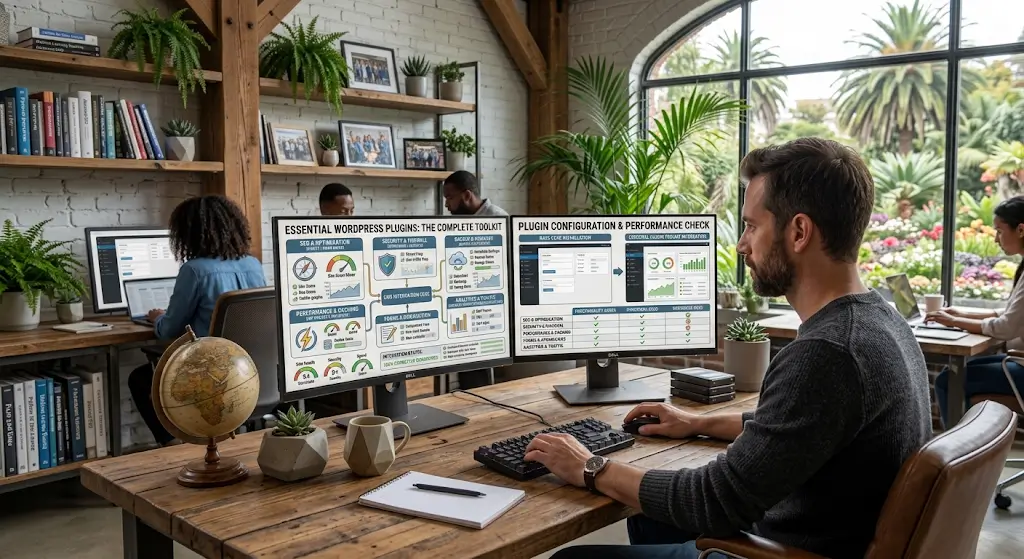
Most WordPress sites benefit from the same core set of plugins regardless of what the site is about. Security. Backups. SEO. Performance. Analytics. These functions matter for a personal blog and matter equally for an e-commerce store. The specific plugins might differ based on preferences, but every site needs each function covered.
This piece covers the essential plugin categories every WordPress site should have and recommends specific plugins in each category. The specific recommendations reflect what works well as of 2026, but the categories themselves have been essential for years and will continue to matter.
Security Plugin
Protects your site from attacks.
Why It Matters
WordPress is the most attacked platform on the web. Sites without security plugins get compromised at rates that sites with them do not experience. Basic security is not optional.
What They Do
Firewall protection. Malware scanning. Brute force protection. Login security. File integrity monitoring. Alert notifications.
Recommended Plugins
Wordfence is the most popular WordPress security plugin. Free version covers basics. Premium adds real-time firewall updates.
Sucuri Security provides malware scanning and integrates with Sucuri’s cloud-based WAF.
iThemes Security offers a range of security features. Free and Pro versions.
MalCare focuses on malware detection and removal.
Any of these is a reasonable choice. Wordfence is the most common. Pick one and configure it.
Backup Plugin
Protects against data loss.
Why It Matters
Backups are your safety net. When something goes wrong (hack, bad update, human error), backups let you recover. Sites without backups face disasters they cannot recover from.
What They Do
Regular backups of site files and database. Off-site storage. One-click restore. Scheduled automated backups.
Recommended Plugins
UpdraftPlus is the most popular backup plugin. Free version handles basic backups. Premium adds features like faster performance and priority support.
BlogVault provides cloud-based backups with strong reliability.
VaultPress from Jetpack provides automatic real-time backups.
BackWPup is another solid option for backup management.
Configure your chosen plugin for daily backups with off-site storage.
SEO Plugin
Helps your site rank in search engines.
Why It Matters
Search engine traffic is significant for most sites. SEO plugins help you optimize content for search engines, generate XML sitemaps, add schema markup, and configure other SEO essentials.
What They Do
Meta titles and descriptions. XML sitemaps. Schema markup. Social media integration. Content analysis. Redirect management.
Recommended Plugins
Yoast SEO is the most popular WordPress SEO plugin. Free version covers essentials. Premium adds features like internal linking suggestions and multiple keyword optimization.
Rank Math has grown quickly. Feature-rich free version. Premium adds more advanced features.
All in One SEO Pack is another established option.
For most sites, either Yoast or Rank Math works well. Pick one and configure it.
Caching Plugin
Improves site performance.
Why It Matters
Caching stores generated pages so they can be served fast without re-generating each time. Cached pages load much faster than dynamic ones. Speed affects SEO, user experience, and conversions.
Some hosts include caching, reducing the need for a caching plugin. But if your host does not include caching, you need one.
What They Do
Page caching. Browser caching. Database optimization. File minification. CDN integration.
Recommended Plugins
WP Rocket is a premium plugin that is easy to configure and provides good performance. Popular choice among users who want good results without deep configuration.
W3 Total Cache is a powerful free option. More complex to configure than WP Rocket but more customizable.
WP Super Cache is a simpler free option from Automattic.
LiteSpeed Cache is free and specifically optimized for sites on LiteSpeed servers.
Cache Enabler is a lightweight free option.
The specific choice depends on your host, technical comfort, and budget.
Form Plugin
Adds contact forms and other forms.
Why It Matters
Almost every site needs at least a contact form. Many sites need more sophisticated forms.
What They Do
Create forms visually. Handle submissions. Send notifications. Integrate with other services (email marketing, CRM).
Recommended Plugins
Contact Form 7 is the most popular free option. Simple but requires some configuration.
WPForms provides an easy visual form builder. Free version covers basic needs. Premium adds features.
Gravity Forms is a premium plugin with advanced features. Popular for business sites.
Ninja Forms is another good option.
Fluent Forms has grown recently with strong features.
For simple contact forms, Contact Form 7 is enough. For more complex needs, WPForms or Gravity Forms provide more capability.
Analytics Plugin
Tracks site performance.
Why It Matters
Without analytics, you do not know how your site is performing. Traffic sources, visitor behavior, popular content. This data drives decisions about what to work on.
What They Do
Integrate Google Analytics or other analytics services with WordPress. Provide dashboards within the WordPress admin. Track specific events and conversions.
Recommended Plugins
MonsterInsights is popular for Google Analytics integration. Free version covers basics. Premium adds features.
ExactMetrics is similar to MonsterInsights (same company, different product).
Site Kit by Google integrates several Google services including Analytics.
Analytify is another option for Google Analytics integration.
Independent Analytics is a newer option that keeps analytics data on your own site rather than sending it to Google.
Image Optimization Plugin
Reduces image file sizes.
Why It Matters
Images are usually the biggest assets on web pages. Unoptimized images slow down sites significantly. Automatic optimization saves manual work.
What They Do
Compress images automatically. Convert to modern formats like WebP. Handle lazy loading. Bulk optimize existing images.
Recommended Plugins
ShortPixel provides strong image optimization with fair pricing.
Smush from WPMU DEV is popular with a generous free tier.
Imagify is similar to ShortPixel.
EWWW Image Optimizer offers both free and paid tiers.
Optimole optimizes images through their CDN.
Redirect Manager
Handles URL redirects.
Why It Matters
Sites change over time. Content moves. Pages get deleted. URLs change. Managing redirects keeps SEO value and prevents broken links.
What They Do
Set up 301 redirects. Import redirects in bulk. Track 404 errors. Automatic redirect creation.
Recommended Plugins
Redirection is the most popular free option. Feature-rich and reliable.
Rank Math includes redirect management (if you use Rank Math for SEO).
Yoast SEO Premium includes redirect management.
Simple 301 Redirects is a minimal option for basic redirect needs.
UpdraftPlus or Similar Backup Solution
Duplicate mention because backups are that important. Backup plugins deserve emphasis. Do not skip them.
Comment Spam Prevention
Blocks spam comments.
Why It Matters
If your site allows comments, spam bots will target it. Without protection, spam floods in.
What They Do
Filter spam comments automatically. Add CAPTCHA. Block known spam sources.
Recommended Plugins
Akismet is the most popular. From Automattic. Free for personal sites. Small monthly fee for commercial sites.
Antispam Bee is a free alternative to Akismet.
WPBruiser catches spam without CAPTCHA.
For sites without comments enabled, this is not needed.
Optional But Often Useful
Beyond the essentials, some plugins are useful for many sites.
Google Site Kit
Integrates several Google services. Google Analytics, Search Console, PageSpeed Insights, AdSense. Useful dashboard within WordPress.
Yoast Duplicate Post
Lets you duplicate posts and pages. Useful for content workflows.
Broken Link Checker
Monitors your site for broken links. Alerts you when links break.
Autoptimize
Additional performance optimization beyond what caching plugins provide.
CSV Import Plugins
For importing content in bulk from spreadsheets. WP All Import is popular.
Editor Enhancements
TinyMCE Advanced (Advanced Editor Tools) adds features to the editor. Various block libraries add functionality to Gutenberg.
What Not to Add
Some plugin categories cause problems.
Too Many Related Plugins
Multiple SEO plugins active at once. Multiple caching plugins. Multiple security plugins. These conflict and slow down the site.
Pick one plugin per function and stick with it.
Feature-Heavy Multi-Purpose Plugins
Plugins that try to do everything (jetpack in kitchen-sink mode, for example) often add more than they help.
Focused plugins that do one thing well are usually better.
Trial Plugins You Do Not Use
Plugins installed to try but never activated or configured properly. Delete them.
Old Popular Plugins
Some plugins that were popular years ago are no longer maintained. Do not install based on old recommendations without checking current status.
The Right Approach
For most sites, start with the essentials.
Install These First
Security plugin. Backup plugin. SEO plugin. Basic contact form. Analytics integration.
These five cover the fundamental needs of nearly every WordPress site.
Add Others Based on Need
Caching if your host does not provide it. Image optimization if you have many images. Redirect management if you make URL changes. Spam prevention if you have comments.
Each additional plugin should have a clear reason.
Review Periodically
Every few months, look at your plugin list. Is everything still needed? Is anything better replaced with alternatives? Regular review prevents plugin bloat.
Bringing the Essential Plugins Picture Together
The plugins in this piece cover the core functions every WordPress site needs. Security, backups, SEO, performance, forms, analytics, image optimization, redirects, and spam prevention. Each function is essential. Skipping any of them creates a gap.
The specific plugins can be swapped for alternatives. What matters is that each function is covered by something reliable.
For a new site, installing these plugins early prevents having to add them later when problems appear. Setting up security before an attack. Setting up backups before a disaster. Setting up SEO before you need to optimize existing content.
For an existing site without proper plugin coverage, adding what is missing is worthwhile. Each essential function contributes to a well-run site.
The temptation to add many more plugins beyond the essentials should be resisted. Every additional plugin adds complexity, potential vulnerabilities, and performance overhead. Only add plugins that solve real problems.
Sites with a lean, focused set of high-quality plugins run better than sites with many plugins of mixed quality. Take the time to choose well, keep everything updated, and remove things that are not really needed. This approach keeps your site fast, secure, and manageable over its life. The essentials are the essentials for good reason. Getting them right is not about installing many plugins, it is about installing the right ones and making sure each does its job well.