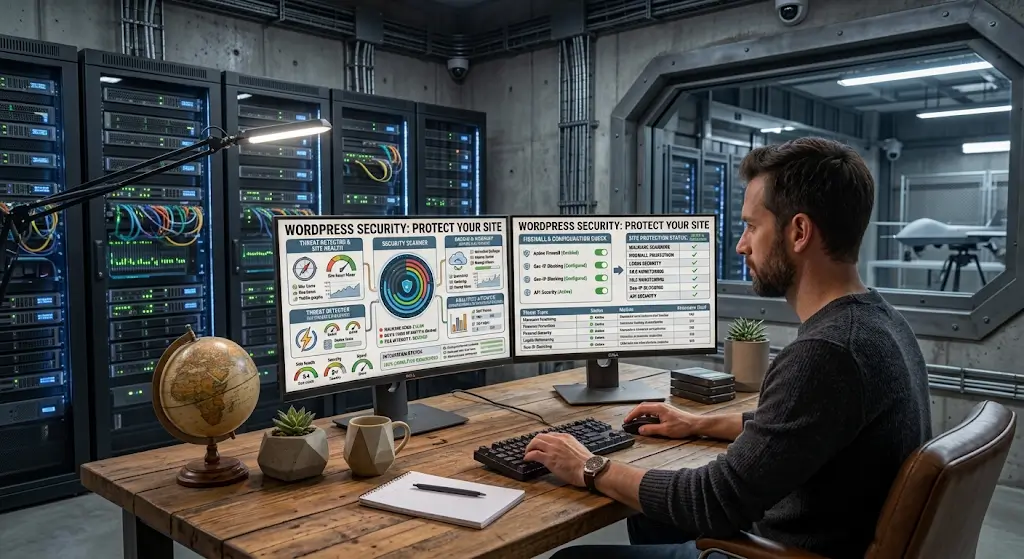
WordPress security plugins are one of the most important tools for keeping WordPress sites safe. The core WordPress software includes basic security, but the volume of attacks against WordPress sites requires additional protection. Security plugins provide that additional protection.
The market has several options. Each has different strengths. Choosing the right one for your situation matters for how well protected your site actually is.
This piece covers what security plugins do, the main options in the market, how to pick one, and how to configure it effectively.
What Security Plugins Do
Security plugins add multiple layers of protection.
Web Application Firewall
A WAF filters incoming traffic and blocks requests that match known attack patterns. Brute force attempts, SQL injection, cross-site scripting, and other attacks get blocked before they reach the site.
Some security plugins include their own WAF. Others integrate with cloud-based WAFs.
Malware Scanning
Regular scans of site files looking for malware, modified files, and suspicious changes. Detected issues generate alerts.
The scanning happens on schedule. Frequency varies by plugin and configuration.
Login Protection
Rate limiting on login attempts. Two-factor authentication. Reset login URLs. Password strength enforcement.
These features address the most common attack vector: brute force attempts on admin accounts.
File Integrity Monitoring
Tracks changes to important files. WordPress core files should not change unless you are updating. Unexpected changes indicate potential compromise.
Activity Logging
Records what happens on the site. Login attempts, file changes, plugin installations, user changes. The logs help investigate incidents.
Notifications & Alerts
Real-time notifications about security events. Failed login attempts. Detected malware. File changes. Suspicious activity.
Fast alerts enable fast response.
Popular Security Plugins
Several plugins dominate the market.
Wordfence
The most popular WordPress security plugin with millions of active installations.
Includes a WAF, malware scanner, login security, two-factor authentication, and more. Free version covers most features. Premium adds real-time firewall rule updates and priority support.
Wordfence is strong on WordPress-specific threats because it is WordPress-focused.
Sucuri Security
Sucuri offers both a free plugin and a full cloud-based security service.
The plugin handles core file integrity monitoring, security notifications, and hardening.
The full service adds cloud-based WAF, malware cleanup, and blacklist monitoring. The paid service costs more but provides deeper protection.
Sucuri is often chosen for its cleanup services. If your site gets hacked, Sucuri’s team will clean it. This service alone can be worth the cost.
iThemes Security
Comprehensive security plugin. Free and Pro versions available. Pro adds more advanced features.
Handles many security tasks. Login security, malware scanning, file monitoring, brute force protection.
The interface has improved over the years. Easier to configure than some competitors.
MalCare
Cloud-based security specifically for WordPress. Malware scanning happens on their servers rather than yours, so it does not affect site performance.
Includes one-click malware removal, WAF, login protection, and more. Paid service.
MalCare has grown in popularity because of its performance-friendly approach.
All In One WP Security & Firewall
Free security plugin with many features. Firewall, brute force protection, database security, file system security.
More technical than some alternatives. Users need some understanding to configure well.
BulletProof Security
Focused on .htaccess-based protection. Different approach from most alternatives.
Free and Pro versions.
WP Cerber
Focused on login and firewall protection. Free and Pro versions.
Strong on brute force protection specifically.
Which Plugin to Choose
The right choice depends on your needs.
For Most Sites
Wordfence is the safe choice. Popular, well-maintained, feature-rich. The free version covers most needs.
For Sites Needing Cleanup Service
Sucuri’s paid service includes malware cleanup as part of the subscription. Worth it for sites that want the reassurance of having cleanup covered.
For Performance-Sensitive Sites
MalCare handles scanning on their servers, reducing impact on your site. Consider it if scanning performance matters.
For iThemes Ecosystem Users
iThemes Security integrates well with other iThemes products.
For Budget-Conscious Users
The free versions of most plugins cover essential security. Wordfence free, iThemes Security free, Sucuri free plugin all provide meaningful protection.
Configuring Security Plugins
Installation is the start, not the end.
Firewall Configuration
Enable the WAF. Configure it to block obvious attack patterns. Some plugins let you customize the aggressiveness. Start with default settings and adjust based on what you see.
Login Protection
Enable rate limiting on login attempts. Configure the threshold (after how many failed attempts to block). Set the block duration.
Enable two-factor authentication for admin accounts.
Malware Scanning Schedule
Set up daily scans at minimum. Some plugins run scans on demand as well.
Configure notifications for detected issues.
File Integrity Monitoring
Enable monitoring of WordPress core files. Alerts should fire when unexpected changes occur.
Notification Settings
Configure email notifications for important events. Do not enable notifications for everything or you will ignore them. Focus on the important ones.
Country Blocking
If applicable to your audience, block countries that generate significant attack traffic but not legitimate visitors. Configure carefully to avoid blocking real customers.
Whitelist Legitimate Traffic
Add your own IP address to whitelists so security features do not accidentally block you.
For admins who work from multiple locations, this is complicated. Consider VPN with fixed IP or careful configuration.
What Security Plugins Cannot Do
Understanding limits matters.
Cannot Replace Updates
Security plugins do not eliminate the need to update WordPress core, themes, and plugins. Outdated software remains vulnerable regardless of security plugins.
Cannot Replace Strong Passwords
Weak passwords remain weak even with security plugins installed. Strong passwords and 2FA on admin accounts are essential.
Cannot Prevent All Attacks
Sophisticated attackers can sometimes bypass automated defenses. Security plugins reduce risk but do not eliminate it.
Cannot Fix Fundamental Vulnerabilities
If a plugin or theme has a serious vulnerability, security plugins may block some attacks but not all. Fixing the underlying vulnerability matters.
Cannot Replace Backups
If prevention fails, you need backups to recover. Security plugins and backup plugins work together.
Cannot Fully Replace Managed Security
For sites with high security needs, a security plugin alone may not be enough. Managed security services provide more thorough protection.
Common Security Plugin Mistakes
Users stumble in predictable ways.
Installing But Not Configuring
Installing a security plugin without configuring it provides some protection but far less than proper configuration. Take the time to configure.
Multiple Security Plugins
Running multiple security plugins at once causes conflicts and reduces effectiveness. Pick one and use it.
Ignoring Alerts
Security plugins generate alerts. If you ignore them, you miss important issues. Configure notifications to be meaningful and act on them.
Blocking Yourself Out
Aggressive security settings sometimes block legitimate users, including you. Test settings carefully.
Not Updating the Security Plugin
Security plugins themselves need updates. Old versions may have vulnerabilities.
Trusting the Plugin for Everything
Security plugins are one part of security, not everything. Other security practices (updates, strong passwords, backups) remain essential.
Beyond Security Plugins
Additional layers help.
Cloudflare or Similar CDN with Security Features
Cloudflare’s free tier includes DDoS protection, WAF, and other security features. Adds a layer beyond WordPress plugins.
Managed Hosting Security
Premium managed WordPress hosts include their own security layers. Firewalls, monitoring, malware scanning at the infrastructure level.
Regular Security Audits
Beyond automated tools, periodic security audits catch issues that automated tools miss. The earlier piece in this series covered security audits.
Backup Strategy
Backups provide recovery when security fails. Reliable backups are part of security.
Incident Response Plan
Knowing what to do if something happens matters. The earlier piece in this series covered incident response.
Bringing the Security Plugin Picture Together
Security plugins are essential for WordPress sites. The volume of automated attacks against WordPress means sites without them get compromised at rates sites with them do not.
For most sites, picking a good security plugin and configuring it properly is the right approach. Wordfence, Sucuri, iThemes Security, and MalCare all provide meaningful protection when configured well. The specific choice matters less than actually using something.
The configuration matters more than the choice. A poorly configured premium plugin protects less than a well-configured free one. Take the time to enable the features that matter and configure them for your situation.
Security plugins are one part of a broader security strategy. Combined with strong passwords, two-factor authentication, current software, reliable backups, and general good practices, they provide meaningful protection against the threats WordPress sites face.
For sites without security plugins currently, installing and configuring one is one of the higher-priority security investments available. The work is bounded. The protection is real. The attackers are constant.
For sites with security plugins that were installed but never really configured, going back to configure them properly is worthwhile. The features that were left at defaults or disabled may provide significant additional protection when enabled and tuned.
The sites that stay secure over time are usually the ones that take security seriously enough to configure security tools properly, keep everything updated, and pay attention to what the tools tell them. The sites that get compromised are usually the ones where security was an afterthought. The difference between these two outcomes is the difference between a site that runs reliably for years and a site that eventually has a crisis. Choose to take security seriously, use the tools available, and the protection they provide will keep your site safe against the constant threats that every WordPress site faces.