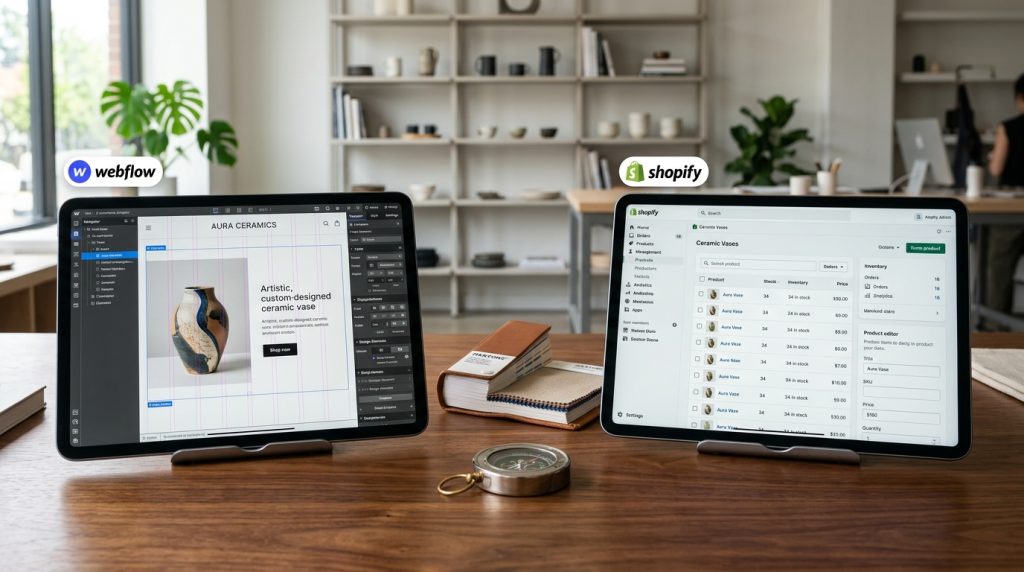
Webflow and Shopify both let you build online stores, but they come from very different directions. Shopify was built specifically for e-commerce from day one. Everything in the platform serves that purpose. Webflow started as a design tool and added e-commerce later. The design freedom is stronger, but the e-commerce depth is not the same.
For businesses trying to decide between them for an online store, the choice matters significantly. Design flexibility versus e-commerce sophistication. Design-focused stores versus operational stores. Understanding what each platform actually offers helps make the right choice for your specific situation.
This piece covers what each platform provides for e-commerce, where they differ, and how to decide which fits your online store.
The Fundamental Difference
The platforms have opposite priorities.
Shopify’s Focus
E-commerce is Shopify’s entire reason to exist. Every feature, every improvement, every design decision serves selling online. The company has spent over a decade building nothing but e-commerce capabilities.
Design flexibility is secondary to conversion optimization and operational efficiency.
Webflow’s Focus
Design is Webflow’s core strength. The visual builder provides design freedom that most platforms cannot match. E-commerce was added to serve designers building stores for clients.
Design flexibility is prioritized over e-commerce depth.
What This Means
Shopify has more e-commerce features, better payment optimization, more apps, and better operational tools. Webflow has better design flexibility, cleaner code output, and more control over the customer experience visually.
Design Flexibility
Where Webflow shines.
Webflow Design Advantages
Complete visual control. Custom layouts without templates. Sophisticated animations. Unique interactions. Design that matches specific brand visions without compromise.
For businesses with distinctive design requirements, Webflow provides tools that Shopify themes cannot match.
Shopify Design Reality
Themes provide the design starting point. Customization within themes is available but limited by theme structure. Deeper customization requires code (Liquid, HTML, CSS).
Premium themes offer significant flexibility but not the same level as Webflow.
Custom Stores
For truly custom-designed stores, Webflow makes the design work accessible. Shopify custom stores usually require developer involvement.
For designers building stores themselves, Webflow enables what would otherwise require a developer.
Template-Based Approach
For businesses accepting template-based designs, Shopify themes provide enough flexibility for most needs. Not everyone needs custom design.
E-commerce Features
Where Shopify dominates.
Product Management
Both handle basic product management. Shopify handles it more sophisticatedly with variants, inventory tracking, and complex product structures.
Cart & Checkout
Shopify’s checkout is one of the most optimized in the industry. Higher conversion rates than most alternatives. Extensive optimization work goes into it continuously.
Webflow’s checkout works but has not received the same level of conversion optimization.
Payment Processing
Shopify integrates with numerous payment processors. Shopify Payments (their built-in option) provides tight integration and optimized rates.
Webflow supports Stripe and PayPal. Less variety in payment options.
Inventory Management
Shopify handles inventory across multiple locations. Sophisticated tracking. Multi-warehouse operations.
Webflow’s inventory management is more basic.
Order Management
Shopify’s order management is production-ready for serious retail operations. Complex fulfillment workflows. Extensive reporting.
Webflow’s order management is simpler.
Shipping
Shopify supports carrier-calculated rates, multiple shipping zones with detailed configuration, and integration with fulfillment services.
Webflow supports basic shipping configuration but with fewer options.
Taxes
Both handle basic tax calculation. Shopify supports more jurisdictions and complex tax scenarios.
App Ecosystems
Extending functionality.
Shopify App Store
Thousands of apps. Almost every conceivable e-commerce need has an app. Reviews, loyalty programs, cart recovery, advanced product options, marketing tools, and many others.
The ecosystem depth is one of Shopify’s significant advantages.
Webflow Marketplace
Smaller ecosystem. Fewer apps and integrations. Less variety for specific e-commerce needs.
Some functionality is being added through Webflow’s own development and third-party integrations.
The Practical Difference
If you need specific e-commerce functionality, Shopify almost certainly has an app for it. Webflow may or may not have equivalent options.
For businesses with standard needs, this may not matter. For businesses with specific requirements, it matters significantly.
Content Management
Beyond e-commerce features.
Webflow CMS
Webflow’s CMS handles blogs, portfolios, and other structured content well. Better than Shopify for content-heavy stores.
Design freedom for content extends beyond just products.
Shopify Content
Basic blog functionality. Adequate for occasional content but not comparable to WordPress or Webflow for serious content operations.
The Content Consideration
For stores that need significant content marketing (blogs, guides, resources), Webflow’s CMS is more capable. Shopify sites often complement themselves with WordPress for content.
Pricing Comparison
The cost picture.
Shopify Pricing
Basic Shopify: around $29-$39 per month.
Shopify: around $79-$105 per month.
Advanced Shopify: around $299-$399 per month.
Plus transaction fees, apps, and other add-ons.
Webflow Pricing
Basic site plan: around $18 per month.
CMS plan: around $29 per month.
Business plan: around $49 per month.
E-commerce standard: around $29 per month on top of site plan.
E-commerce plus: around $74 per month on top.
The Overall Cost
Depending on plans and add-ons, costs are often roughly comparable. Webflow can be slightly cheaper for smaller operations. Shopify’s costs scale differently with growth.
Transaction fees differ. Shopify Payments avoids additional Shopify transaction fees. Webflow uses standard Stripe rates.
Performance & SEO
Technical considerations.
Performance
Both platforms provide good performance out of the box. Shopify’s infrastructure is optimized for e-commerce specifically. Webflow’s is optimized for design-focused sites.
For most stores, both perform adequately. Neither is significantly slower than the other in typical use.
SEO
Both handle SEO basics. Shopify has more mature SEO capabilities specifically for e-commerce.
Webflow provides more control over technical SEO elements. Custom URL structures. More flexible schema markup implementation.
For most stores, both work for SEO. The differences matter more for stores that prioritize sophisticated SEO strategies.
Learning Curve
Getting productive.
Shopify Learning Curve
Relatively accessible. Setup wizards guide new users. Admin interface is polished. Non-technical business owners can build functional stores.
Steeper learning curve for advanced customization requiring Liquid or theme development.
Webflow Learning Curve
Steeper for e-commerce. Requires understanding both the design tools and the e-commerce features.
For designers already familiar with Webflow, adding e-commerce is manageable. For newcomers, more to learn than Shopify.
The User Consideration
For non-designers wanting to sell online, Shopify is more accessible. For designers who already use Webflow, adding e-commerce fits their existing workflow.
Growth & Scaling
Long-term considerations.
Shopify Scaling
Well-designed for scale. Shopify Plus handles enterprise operations. Infrastructure scales automatically. Serious e-commerce businesses run on Shopify at all sizes.
Webflow Scaling
Handles small to medium operations well. For very large e-commerce operations, less proven at scale.
For businesses expecting significant growth, Shopify has more track record supporting that growth.
Migration Complexity
Migrating out of either platform is disruptive. Webflow migrations are more complex because design does not transfer.
For businesses uncertain about long-term platform choice, Shopify may provide a lower migration risk.
When Webflow Fits Better
Situations that favor Webflow.
Design-Focused Brands
Brands where distinctive design is core to the brand identity. Fashion, art, design services, luxury goods.
The design freedom matters when brand differentiation depends on design.
Small to Medium Catalogs
Stores with dozens to a few hundred products. Not massive catalogs.
Webflow handles moderate catalogs well.
Content-Heavy Stores
Stores that combine significant content marketing with product sales. Webflow’s CMS handles this better than Shopify.
Design Agencies Building Client Stores
Agencies that already use Webflow can add e-commerce work without switching platforms.
Portfolio-Style Stores
Stores that feel more like curated collections than typical e-commerce. Design-focused presentation matters.
When Shopify Fits Better
Situations that favor Shopify.
Serious E-commerce Operations
Stores where selling is the primary business focus. Volume matters. Efficiency matters.
Shopify’s e-commerce depth serves this well.
Large Catalogs
Stores with hundreds or thousands of products. Complex product structures.
Shopify handles scale better.
Multi-Location Operations
Businesses with online plus physical retail. Shopify POS integrates directly.
Businesses Needing Specific Apps
If you need specific e-commerce functionality, Shopify’s app ecosystem probably has it.
Non-Designer Business Owners
Business owners who cannot or will not do design work. Shopify’s themes provide better starting points for non-designers.
Businesses Prioritizing Fast Time to Market
Shopify launches faster for standard e-commerce needs.
Common Pitfalls
Where businesses make mistakes.
Choosing Webflow for Design Alone
Beautiful design without proper e-commerce operations does not produce successful stores. Design matters but is not everything.
Choosing Shopify Without Considering Design
Generic Shopify sites that look like every other store fail to differentiate. Design matters even for operationally strong stores.
Underestimating Migration Costs
Starting on one platform and needing to switch later is expensive. Choose thoughtfully at the start.
Ignoring Team Capabilities
The platform needs to fit your team’s capabilities. Webflow requires design skills. Shopify requires operational discipline.
Chasing Features Not Needed
Neither platform’s every feature will matter for your specific business. Focus on what actually matters.
The Hybrid Approach
Some businesses use both.
Shopify for E-commerce, Webflow for Marketing
Main product catalog on Shopify. Marketing site, landing pages, or content sites on Webflow. Integration handles the connection.
This approach uses each platform for what it does best.
Complexity Considerations
Managing two platforms adds complexity. Only makes sense when the benefits outweigh the overhead.
For most businesses, one platform serves better than two.
Try Before Committing
Both platforms offer trials.
Build Sample Stores
Actually build a sample store on each platform. See how the workflow feels. Compare the results.
Direct experience reveals fit better than reading comparisons.
Consider Long-Term Direction
Not just today’s needs. Where do you expect the business to be in 3-5 years? The platform should support that direction.
Talk to Others
Businesses using each platform can share their experience. Both what works and what frustrates.
Wrapping Up the Store Platform Choice
The choice between Webflow and Shopify for e-commerce is not obvious. Both can produce successful online stores. But they excel at different things.
For most businesses focused on e-commerce as their primary purpose, Shopify is usually the safer choice. The depth of features, ecosystem, and proven track record support serious e-commerce operations. The trade-off is less design flexibility than Webflow offers.
For design-focused brands where distinctive design matters more than sophisticated e-commerce operations, Webflow provides tools that Shopify cannot match. The trade-off is less e-commerce depth and smaller ecosystem.
For small to medium stores in design-forward categories, Webflow can produce beautiful results with adequate e-commerce functionality. For large operations, complex fulfillment, or sophisticated e-commerce strategies, Shopify usually fits better.
For agencies building client stores, either platform can work depending on client needs. Design agencies often prefer Webflow. E-commerce specialists usually prefer Shopify.
For businesses uncertain about long-term direction, Shopify’s stronger track record with scaling and its lower migration difficulty make it the safer default. Webflow works well when its strengths clearly align with business needs.
The decision affects the store for years. Take time to evaluate honestly. Consider your specific business, team capabilities, and growth plans.
Beautiful design without effective e-commerce fails as a business. Effective e-commerce without appealing design fails to build brand. Both matter. The right platform choice provides the foundation for both, though the balance differs between platforms.
Whichever you choose, commit to using it well. Learn its strengths. Work with its limitations. The platform is the foundation. What you build on top of it determines whether the store succeeds. Choose the foundation that fits your business, then focus on building an online store that customers actually want to shop at. Product quality, marketing effectiveness, customer service, and operational excellence produce successful stores on either platform. Poor execution fails on both. Make the platform decision, then focus on the work that actually determines your success.