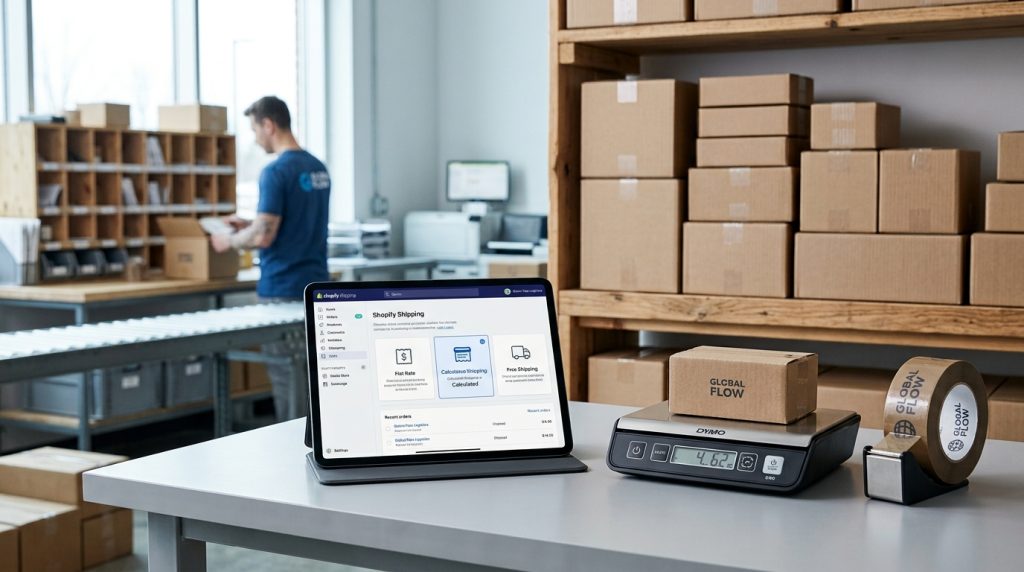
Shipping is one of those aspects of e-commerce that seems simple until you actually have to configure it. Domestic rates. International rates. Weight-based pricing. Free shipping thresholds. Carrier calculated rates. The options multiply quickly, and getting the setup wrong costs money either by charging too little or losing sales by charging too much.
Shopify’s shipping system handles most needs well once you understand how it works. The zone-based structure fits most businesses. The rate options cover common approaches. But the setup requires thought about what makes sense for your business.
This piece covers how Shopify shipping works, how to configure rates that fit your business, and how to avoid common shipping problems.
How Shopify Shipping Is Structured
The basic organization matters.
Shipping Zones
Shopify organizes shipping by zones. Each zone contains one or more countries or regions. You set shipping rates per zone.
Domestic zone for your country. International zones for other countries you ship to.
For US businesses, you might have zones for United States (domestic), Canada, Mexico, and Rest of World.
Shipping Profiles
Beyond zones, shipping profiles let you set different shipping rules for different products. Most stores use one general profile. Stores with special products (very heavy, hazardous, oversized) may use additional profiles.
Shipping Rates
Within each zone, you configure the specific rates. Flat rate, calculated rate, or free shipping.
Delivery Options
Beyond just shipping, delivery options include local pickup, local delivery, and other fulfillment methods.
Types of Shipping Rates
Different approaches serve different situations.
Flat Rate
A fixed rate for all orders in the zone. Simple to understand. Predictable for customers.
Good for stores with consistent product sizes and weights. Might charge $10 for standard shipping regardless of what customers buy.
Free Shipping
No charge for shipping. Often used above a minimum order value (“Free shipping over $50”).
Effective at increasing average order values. Common promotional tool.
Weight-Based Rates
Different rates for different weight ranges. Under 1 lb: $5. 1-5 lbs: $10. Over 5 lbs: $15.
Fair for products of varying weights. More complex to set up than flat rates.
Price-Based Rates
Rates based on order total. Small orders pay one rate. Large orders pay another. Or free shipping at certain thresholds.
Useful for balancing shipping costs with order size.
Carrier Calculated Rates
Real-time rates from UPS, USPS, FedEx, and other carriers based on package details and destination.
Most accurate. Requires the shipping calculator feature. Available on higher Shopify plans or through apps.
Shopify Shipping Rates
If you use Shopify Shipping (US, Canada, Australia, and some other regions), you get discounted rates from major carriers. Configure how you want to pass those rates to customers.
Setting Up Shipping Zones
The starting point.
Access Shipping Settings
Under Settings > Shipping and delivery. This is where all shipping configuration happens.
Create Domestic Zone
Your primary zone. For US businesses, this is the United States. Add all states, or specific states if you only ship to some.
Add a shipping rate for this zone. Start with something simple like a flat rate for testing.
Create International Zones
For international shipping, create zones for different regions. Common groupings include North America (Canada, Mexico), Europe, Australia and New Zealand, Rest of World.
Or country by country if rates differ significantly.
Countries Not Served
Explicitly not adding countries means no shipping to those countries. Customers from those countries cannot complete checkout.
For businesses that ship worldwide, add all countries.
Configuring Flat Rates
The simplest approach.
Standard Shipping Rate
Set one rate for standard shipping. Something like $8 for standard delivery.
Expedited Options
Add faster shipping options at higher rates. Standard $8. Express $20. Overnight $40.
Multiple options let customers choose their delivery speed.
Free Shipping Thresholds
Set free shipping above a minimum order value. “Free shipping on orders over $75.”
This is one of the most effective ways to increase order values.
Weight & Price Conditions
You can add conditions to shipping rates. This rate applies only to orders under 5 lbs. That rate applies to orders over $50. Fine-grained control.
Configuring Weight-Based Rates
For products of varying weights.
Weight Tiers
Set rate tiers based on weight ranges.
0 to 1 lb: $5.
1 to 3 lbs: $8.
3 to 5 lbs: $12.
Over 5 lbs: $20.
The tiers should cover all possible order weights.
Product Weight Configuration
For weight-based rates to work, each product needs accurate weight. Set weights on all products.
For products with variants of different weights, set variant-specific weights.
Total Order Weight
Shopify calculates total weight from all items in the cart. The corresponding tier rate applies.
Configuring Calculated Rates
Real-time carrier rates.
Enable Carrier Accounts
For Shopify Shipping users, this is automatic. For other setups, you may need to configure carrier accounts.
Select Carriers to Offer
Choose which carriers customers see. USPS, UPS, FedEx, DHL. Whichever you use.
Choose Service Levels
Within each carrier, select which service levels to offer. UPS Ground, UPS 3-Day, UPS Overnight. Give customers options.
Handling Fees
Add handling fees to carrier rates if needed. Covers your packaging and processing costs beyond just the carrier rate.
Rate Adjustments
You can add markup to carrier rates. Or absorb some cost to offer subsidized rates. Choose what fits your business.
Free Shipping Strategies
Free shipping affects customer behavior significantly.
Above a Threshold
Free shipping over $50 or $75 is common. Encourages larger orders.
Set the threshold high enough that free shipping is profitable but low enough that customers can reach it.
On Specific Products
Free shipping on selected products. Featured items, high-margin products, or promotional items.
For Members or Repeat Customers
Free shipping for members of a loyalty program or customers with previous orders.
Promotional Free Shipping
Time-limited free shipping promotions. Drives sales during specific periods.
The Math of Free Shipping
Free shipping is not actually free. You are absorbing the cost. Either build it into product prices, accept lower margins, or use it to drive volume that offsets the cost.
Local Delivery & Pickup
Beyond traditional shipping.
Local Pickup
Customers can pick up orders from your location. No shipping charges.
Configure your pickup location and instructions. Set expected preparation time.
Local Delivery
For local businesses, you can offer delivery within a specific radius. Set the distance range and delivery fee.
Requires your own delivery capability or third-party delivery services.
When These Options Fit
Physical retail locations offering online ordering. Restaurants. Grocery stores. Local specialty shops. Any business serving a specific geographic area.
International Shipping Considerations
Selling globally has its own concerns.
Higher Costs
International shipping costs more than domestic. Set rates accordingly.
Customs & Duties
International orders may face customs charges and duties on arrival. These are typically the customer’s responsibility.
Some shipping options include duties and taxes upfront (DDP – Delivered Duties Paid). Others leave them for the customer to pay on delivery (DDU – Delivered Duties Unpaid).
Communicate clearly which applies.
International Documentation
International shipments require documentation. Commercial invoices, customs declarations. Some carriers handle this automatically. Others require your input.
Restricted Items
Some products cannot be shipped internationally. Regulations vary by country. Research restrictions for your products.
Language & Communication
Order communications may need translation. Address formats vary. Consider these factors for international orders.
Shipping Zones Best Practices
Structure the zones logically.
Group Similar Countries
Countries with similar shipping costs and requirements should be in the same zone. Simplifies management.
Separate Countries With Different Costs
Very different shipping costs warrant separate zones. Do not force one rate to fit multiple cost structures.
Special Handling Zones
Countries with special requirements (very high shipping costs, complex customs) may need their own zones.
Update as Business Grows
Zones may need reorganization as your business changes. Growing markets may warrant more specific zones.
Common Shipping Configuration Mistakes
Store owners stumble in predictable ways.
Undercharging for Shipping
Setting shipping too low and losing money on shipping-heavy orders. Do the math on actual shipping costs.
Overcharging for Shipping
Setting shipping too high and losing sales due to sticker shock at checkout. Compare to what customers see elsewhere.
Not Offering Multiple Options
Only offering one shipping speed. Some customers want fast delivery even at higher cost. Give them options.
Ignoring International
Not configuring international shipping when significant international demand exists. Missed opportunity.
Inconsistent Product Weights
Weight-based rates fail when product weights are wrong. Get weights accurate.
No Free Shipping Option
Missing a common expectation. Free shipping (at least above a threshold) is common enough that not offering it hurts conversions.
Complicated Structures
Too many options with confusing conditions. Simpler shipping structures perform better than complicated ones.
Testing Shipping Configuration
Before launch.
Test Different Order Types
Small orders. Large orders. Different weights. Different destinations. Verify each gets appropriate rates.
Test International
If offering international shipping, test to different regions. Rates should look reasonable for each.
Test Free Shipping Thresholds
Just below and just above thresholds. Verify the threshold works correctly.
Get Feedback From Real Customers
After launch, monitor whether shipping seems to affect conversion. High cart abandonment at the shipping step suggests problems.
Wrapping Up the Shipping Configuration
Shipping configuration is one of those tasks that seems tedious but affects real revenue. Getting it right means fewer shipping-related lost sales and reasonable profitability on the shipping side of orders. Getting it wrong costs money in either lost sales or lost margin.
For most stores, starting with straightforward configuration works. Domestic flat rate with a couple of speed options. Free shipping above a reasonable threshold. Basic international shipping for major markets. This covers most customer situations.
As the business matures, more sophisticated shipping strategies help. Calculated rates for accuracy. More detailed zones for different markets. Specific rates for specific product categories.
For businesses expanding internationally, careful international shipping setup matters. Different countries have different economics. Configure zones to reflect real cost differences.
For businesses with unusual products (very heavy, oversized, or hazardous), consider whether standard shipping rates fit or whether specialized handling is needed.
The shipping cost is one of the top reasons for cart abandonment. Customers reach checkout, see the shipping cost, and leave. Reasonable shipping rates prevent this. Excessive shipping rates cause it.
For sites already running, review shipping periodically. Compare what you charge to what you actually pay to ship. Adjust rates to reflect actual costs plus reasonable margin. If you are losing money on shipping, that comes out of profitability.
The Shopify shipping system handles most needs well once configured properly. Take the time to set it up thoughtfully at the start. Update as your business changes. The result is shipping that works for both you and your customers, supporting rather than undermining the business. Shipping is a real cost of doing e-commerce business. Managing it well through proper configuration lets you offer good service without losing money on the shipping side of the operation.